Connect with us

Weather where you are

Choose your location or share it once. We round your coordinates to about 1 km before sending them to our site and MET Norway for your forecast. Your choice stays in this browser tab.

Stay close to Boston

Get new Boston stories and Boston Made company updates, delivered as browser notifications.

Choose Enable notifications, then allow notifications in your browser.

Your browser subscription is stored by Boston Made and delivered through your browser’s push service. You can turn notifications off in your browser’s site settings. Privacy policy

Education

Keep Up With Nate Launches on Boston Made Newsroom

The newly relaunched Keep Up With Nate website is rolling out with weekly wires that document real work in real time — blending entrepreneurship, nonprofit advocacy, and community impact. As part of the Boston Made Newsroom, the platform offers a transparent look into the causes, partnerships, and values driving Nate Strickland and the broader Boston Made ecosystem.

Published

on

A man in a green hooded jacket seated by the water, for the Keep Up With Nate launch

Weekly Wires. Personal Mission. Community Impact.

The Boston Made Newsroom is proud to announce the rollout of the newly refreshed Keep Up With Nate website — a living, evolving platform that will now publish new wires weekly, offering readers a consistent window into the work, values, and community-first mission of Nate Strickland.

Advertisement

Advertisement

More than a personal site, Keep Up With Nate functions as a narrative layer within the Boston Made ecosystem — blending entrepreneurship, nonprofit advocacy, and behind-the-scenes storytelling into a single, transparent feed. Each wire documents what’s being built, who’s being supported, and why the work matters.


A Platform Rooted in Giving Back

At the heart of the new rollout is a renewed emphasis on nonprofit support. Nate has long believed that real impact comes from service — not just funding causes, but actively building alongside them. Through Keep Up With Nate, these partnerships are no longer footnotes; they’re front and center.

“Whether through building websites, donating time, or using my platforms to amplify their mission, I’m committed to helping these groups grow, thrive, and touch more lives.”


Spotlight: Nonprofit Partners

Big Brothers Big Sisters

Nate is a dedicated supporter of Big Brothers Big Sisters, advocating for the power of mentorship and one-on-one relationships to change lives. His involvement highlights the importance of guidance, consistency, and community in helping young people reach their full potential.
bbbs.org →


Boston Made Foundation

Born from the belief that visibility should be a public good, the Boston Made Foundation is an open-source business directory built for community growth. It offers entrepreneurs, creators, nonprofits, and small businesses a place to be seen — without fees, gatekeeping, or hidden algorithms.
This vision reflects Nathan’s commitment to accessibility, transparency, and long-term community impact.
bostonmade.org →

Advertisement

Seuk’s Army Animal Rescue

Nate has donated his time and technical expertise to Seuk’s Army Animal Rescue, serving as webmaster and digital steward for the organization. By building and maintaining their website, he helps amplify their mission of rescuing, sheltering, and giving animals a second chance at life.
seuksarmy.org →


Weekly Wires, Going Forward

With the new Keep Up With Nate rollout, readers can expect:

  • Weekly newsroom-style wires
  • Transparent updates on projects and partnerships
  • Ongoing nonprofit spotlights
  • Personal reflections on building, service, and legacy

All wires will syndicate through the Boston Made Newsroom, ensuring these stories live alongside the broader Boston Made archive — preserved, searchable, and accessible.

👉 Visit www.keepupwithnate.com to follow along
👉 Stay tuned to Boston Made Newsroom for weekly updates

One voice. Many causes. Real work — documented in real time.

What a “Wire” Means Here

The word wire comes from the newsroom tradition of short, dated dispatches sent out as events happen. On Keep Up With Nate, a wire follows the same idea: a compact update that records one piece of work at a time. Instead of waiting for a polished year-end summary, readers see the work as it moves, including the parts that are still in progress.

That format has a few practical advantages for anyone following along:

  • Each wire stands on its own. A reader who arrives in week twelve does not need to have read weeks one through eleven to understand what is being described.
  • The record builds over time. Because the wires syndicate through the Boston Made Newsroom, they form a running archive that can be searched and revisited later.
  • Progress is visible, not just outcomes. A finished website or a completed project tells only part of the story. Weekly wires capture the steps, the decisions and the reasons behind them.

How to read the feed

Readers who want the full picture can follow the wires in order, much like a logbook. Readers with a specific interest, such as nonprofit work or the building of the Boston Made ecosystem, can use the newsroom archive to focus on the wires that touch those subjects. Either approach works, because the wires are written to be read both ways.

Why Documenting Service Matters

There is a quiet tension in writing about one’s own service work. Talk about it too much and it can sound like self-promotion. Say nothing and the organizations being supported lose a chance to be seen. The approach behind Keep Up With Nate leans toward visibility for the causes themselves, keeping the partners front and center rather than in the footnotes.

Advertisement

For small community organizations, that visibility can matter a great deal. Many operate with lean teams and limited time for outreach. A clear, regular mention in a newsroom-style feed puts their mission in front of readers who might never have come across it otherwise.

The work behind a nonprofit website

The spotlight on Seuk’s Army Animal Rescue mentions serving as webmaster and digital steward. For readers unfamiliar with that role, it usually involves far more than building a site once. Ongoing stewardship of a small organization’s website commonly includes:

  1. Keeping software, plugins and security settings up to date so the site stays safe and working.
  2. Updating pages as programs, events and needs change, so visitors find current information.
  3. Making sure the site reads well on phones, where many visitors arrive first.
  4. Checking that contact forms and other key paths actually reach the people who need to respond.
  5. Keeping the organization’s message consistent across the site and any linked channels.

None of these tasks is glamorous, and that is exactly why donated time and technical skill can be so valuable. They are the tasks that slip when a volunteer team is stretched.

Getting More Out of Weekly Updates

For readers who want to do more than skim, a few habits make a weekly feed more useful:

  • Follow the partners directly. Each spotlight points to the organization’s own site. Reading their updates alongside the wires gives a fuller view of the work.
  • Look for patterns across weeks. A single wire is a snapshot. Several in a row can show how a project develops, where it changes direction and what it took to finish.
  • Use the archive. Because wires live in the Boston Made Newsroom alongside the broader archive, older entries remain accessible for anyone who wants to trace a story back to its beginning.

Questions Readers Ask

How often will new wires appear? The plan is weekly, as described above, with each wire also syndicated through the Boston Made Newsroom.

Will the wires cover only nonprofit work? No. Nonprofit spotlights are one strand. The feed also includes updates on projects and partnerships and personal reflections on building, service and legacy.

Where should I start if I am new? Start with the most recent wire, then work backward through the archive for any subject that catches your interest. Each wire is written to make sense on its own.

Is the newsroom archive the same as the Keep Up With Nate site? They are connected. Keep Up With Nate is where the wires are published, and the Boston Made Newsroom is where they are syndicated and preserved with the rest of the archive.

Boston Made Foundation Boston Made family Boston Made Foundation The philanthropic arm of the Boston Made family. Visit site →

Advertisement

Latest stories

View all

Education

Fenway Web Opens a Free Learning Center to Teach Small Businesses to Build Their Own Websites

Published

on

The domed Main Reading Room of the Library of Congress

BOSTON — October 9, 2026 — Fenway Web today announced that info.fenwayweb.com is now its free learning center, teaching small-business owners how to build, launch and grow their own website step by step — with every lesson pointing back to FenwayWeb.com, where they can start building.

Advertisement

Advertisement

Fenway Web is repositioning around a simple idea: most small businesses can launch a professional website themselves if someone shows them how. The learning center does exactly that, in plain language, with no jargon and no upsell in the middle of a lesson.

Start with Build Week

The first course, Build Week, takes a business from no website to launch in five short lessons:

  1. Build Week, Day 1: How to Pick a Domain Name You Won’t Regret
  2. Build Week, Day 2: How to Write a Homepage That Sells in Five Seconds
  3. Build Week, Day 3: Local SEO 101 — Getting Found Near You
  4. Build Week, Day 4: How to Add a Contact and Booking Form People Actually Finish
  5. Build Week, Day 5: The 15-Point Launch Checklist

Each lesson can be finished in an evening, and each ends with a concrete task — pick the domain, write the homepage, set up local search, add the contact form, run the launch checklist.

What’s in the learning center

  • Guides on web design, SEO, content writing and marketing strategy.
  • AI for small business — practical ways to use AI tools to write, design and answer customers faster.
  • News on platform updates and new tutorials.

Do the math before you build

A website is an investment, and it should pay you back. Compare the true first-year cost of building it yourself with hiring it out, and see how quickly the leads your site brings in cover the cost.

Website Payback Calculator

Will a new website pay for itself — and how fast? Compare building it yourself with hiring it out, then see how many leads it takes to break even.

Advertisement

Planning estimate. Enter your own builder plan price and lead value.

The five-minute website health check

  • Can a visitor tell what you do and where you are within five seconds?
  • Is your phone number tappable on a phone?
  • Does every page have one clear next step?
  • Is your business listed with the same name, address and phone everywhere online?
  • Does your contact form actually reach your inbox? Test it today.

About Fenway Web

Fenway Web helps small businesses build their own websites with a self-serve builder at FenwayWeb.com and free tutorials at info.fenwayweb.com.

The post Fenway Web Opens a Free Learning Center to Teach Small Businesses to Build Their Own Websites appeared first on Fenway Web.

Advertisement

Background

Do-it-yourself website builders have made it far easier for small businesses to get online without hiring a developer for every change. Templates handle layout and mobile display, and visual editors let owners add text, images and forms directly. The tradeoff is that the tools only solve part of the problem. A site also needs clear writing, a sensible structure, accurate business information and a few technical basics, which is where step-by-step guidance can help.

Learning resources for small businesses tend to work best when they break a big project into small, finishable tasks. A website is easier to approach as a series of decisions: the name and address of the site, the words on the homepage, how customers find it, how they get in touch and what to check before it goes public.

What it means for small businesses

For an owner deciding whether to build a site personally or hire help, the most honest starting point is time. Building a site yourself trades money for hours. Hiring out trades hours for money. Either can be the right choice, and many businesses do a bit of both, building the basics themselves and getting help for specific tasks such as photography, copywriting or a booking system.

  • Start with the essentials: what you do, where you do it, how to contact you and why a customer should choose you.
  • Keep information consistent: the business name, address and phone number should match everywhere they appear online.
  • Write for phones first: many visitors will see the site on a small screen.
  • Plan for upkeep: hours, prices, staff and services change, and the site should change with them.
  • Own the accounts: keep domain, hosting and builder accounts in the business’s name.

Key terms

  • Domain name: the address people type to reach a website.
  • Website builder: a tool that lets people create and edit a site visually, without writing code.
  • Local SEO: practices that help a business show up in search results for nearby customers.
  • Call to action: a clear prompt, such as a button, that tells visitors what to do next.
  • Lead: a potential customer who has shown interest, for example by calling or filling out a form.
  • Break-even: the point at which the value a site brings in equals what it cost.

What to watch

Once a site is live, a few simple measures show whether it is doing its job. Are people contacting the business through the site? Which pages do visitors look at most? Do searches for the business name and its services bring up the site? Are form messages arriving reliably? Watching these over a few months gives a clearer sense of value than any single day.

Any payback estimate depends on the numbers entered, so it is worth revisiting with real figures once the site has been running for a while. Comparing actual leads and their value against the estimate helps an owner decide where to invest next, whether that is better photos, more service pages or help from a professional.

Quick check: Which item appears in the five-minute website health check?

  1. Is your phone number tappable on a phone?
  2. Does your homepage autoplay music?
  3. Do you have at least ten pop-ups?
Show answer

A. The health check asks whether your phone number is tappable on a phone, along with other basics.

Keep Up With Nate Boston Made family Keep Up With Nate The personal site of Boston Made founder Nathan Strickland. Visit site →

Advertisement

Continue Reading

Boston Made Stories

Road to the Rocketship, Ch. 8: The Free Library Will Never Charge You

Inside the Boston Made Reader is a free library: complete public-domain books, free Bible and religious studies, and inclusion studies. It’s the one part of the ecosystem that will never ask for payment.

Published

on

Road to the Rocketship, Ch. 8: The Free Library Will Never Charge You

ROAD TO THE ROCKETSHIP · Chapter 8

A company that wants to be trusted should give some things away for good.

Advertisement

Advertisement

The Boston Made Reader carries a promise on its homepage: it is a free literacy resource, “the one Boston Made address that will never ask you for payment.”

What’s on the shelves

  • Complete books: full public-domain texts with their original covers, in a clean book-style reading view.
  • Bible and religious studies: free study material for personal reading or group study.
  • Inclusion studies: readable guides on accessibility and inclusion, such as an ADA overview, “Accessibility 101,” and how to volunteer with Special Olympics as a Unified Partner.
  • History: the long-running Boston history series and reading notes on historical works.

Why it belongs in a business story

A free library doesn’t show up on a revenue line. It builds trust, though, and it keeps readers returning daily, and those are the things the rest of the ecosystem depends on. Free reading, supported by advertising, means nobody gets turned away.


ROAD TO THE ROCKETSHIP is the Boston Made Newsroom’s running story of how Boston Made, Inc. is building its ecosystem, told one chapter at a time. Previous: Ch. 7. Next: Ch. 9, What’s Next.

📚 Read every chapter on the Boston Made Reader → Storylines · Join free at app.bostonmade.com/membership.

Forward-looking descriptions reflect current plans and may change. Nothing here is an offer to sell or a solicitation to buy securities.

Advertisement

Background

The public domain is the body of creative work that is not protected by copyright, either because the protection has expired or because it never applied. In the United States, works published before a rolling cutoff date have entered the public domain, and each January 1 another year of older works becomes free for anyone to read, share and republish. That steady expansion is why classic novels, poetry, essays and historical documents can be offered free in full.

Free reading has deep roots in American life. Public libraries became a fixture of towns and cities in the nineteenth and twentieth centuries, built on the idea that access to books supports education, citizenship and personal growth. Boston played a notable role in that history: the Boston Public Library, founded in the 1840s, is widely recognized as one of the first large free municipal libraries in the country.

Advertisement

Why free reading matters

Literacy affects nearly every part of life, from reading a lease or a medication label to helping a child with homework or applying for a job. Free, easy-to-reach reading material lowers one of the barriers to building and keeping that skill. Digital libraries add convenience: books can be read on a phone during a commute, with adjustable text size, and without a trip to a physical branch.

  • For students: classic texts assigned in school are often in the public domain.
  • For lifelong learners: history, philosophy and literature are available to explore at no cost.
  • For study groups: shared free texts make it easier for everyone to read the same material.
  • For readers with disabilities: digital text can work with screen readers and display settings.

Accessibility and inclusion

The inclusion studies mentioned in the original point to a broader principle: a resource is only free if people can actually use it. Clear layout, readable fonts, good contrast and compatibility with assistive technology all affect whether a reader with low vision, dyslexia or other needs can benefit. The Americans with Disabilities Act, signed into law in 1990, is a civil rights law that prohibits discrimination based on disability in many areas of public life, and it has shaped expectations about access well beyond its legal requirements.

Key terms

  • Public domain: works not protected by copyright, free for anyone to use.
  • Copyright term: the length of time a work is protected before it enters the public domain.
  • Literacy: the ability to read, write and understand written information.
  • ADA: the Americans with Disabilities Act, a federal civil rights law.
  • Advertising-supported: a model in which readers pay nothing and costs are covered by ads.
  • Unified Partner: in Special Olympics, a person without an intellectual disability who takes part alongside athletes with intellectual disabilities.

What to watch

For readers who use free digital libraries of any kind, a few questions help judge quality. Is the text complete and faithful to the original edition? Is the source of each edition identified? Is the reading view comfortable on a phone and accessible with assistive technology? Are new titles added as more works enter the public domain each year?

It is also worth watching how free resources are sustained over time. Libraries, digital archives and reading sites rely on different funding models, and the durability of a free resource often depends on how clearly its model is explained to readers.

Finally, free digital reading works best alongside local institutions rather than in place of them. Public libraries offer librarians, programs, quiet space and community connections that a website cannot replace, and many readers use both. A library card also opens doors to resources that are not in the public domain, including newer books, audiobooks and research databases, so combining the two gives readers the widest possible shelf at little or no cost. Many public libraries also offer digital lending apps that work on the same phones and tablets readers already use.

Quick check: What does the Boston Made Reader’s homepage promise describe it as?

  1. A paid subscription library
  2. A free literacy resource that will never ask for payment
  3. A bookstore with discounts for members
Show answer

B. The Reader describes itself as a free literacy resource that will never ask readers for payment.

Pupwear Boston Made family Pupwear Dog apparel and gear inspired by Boston the GoldenDoodle. Visit site →

Advertisement

Continue Reading

Education

Boston Public Schools Opens September 8; Pre-K and Kindergarten Begin Thursday

BPS grades 1–12 begin September 8, with younger students starting September 10 and new M7 transit passes available from opening day.

Published

on

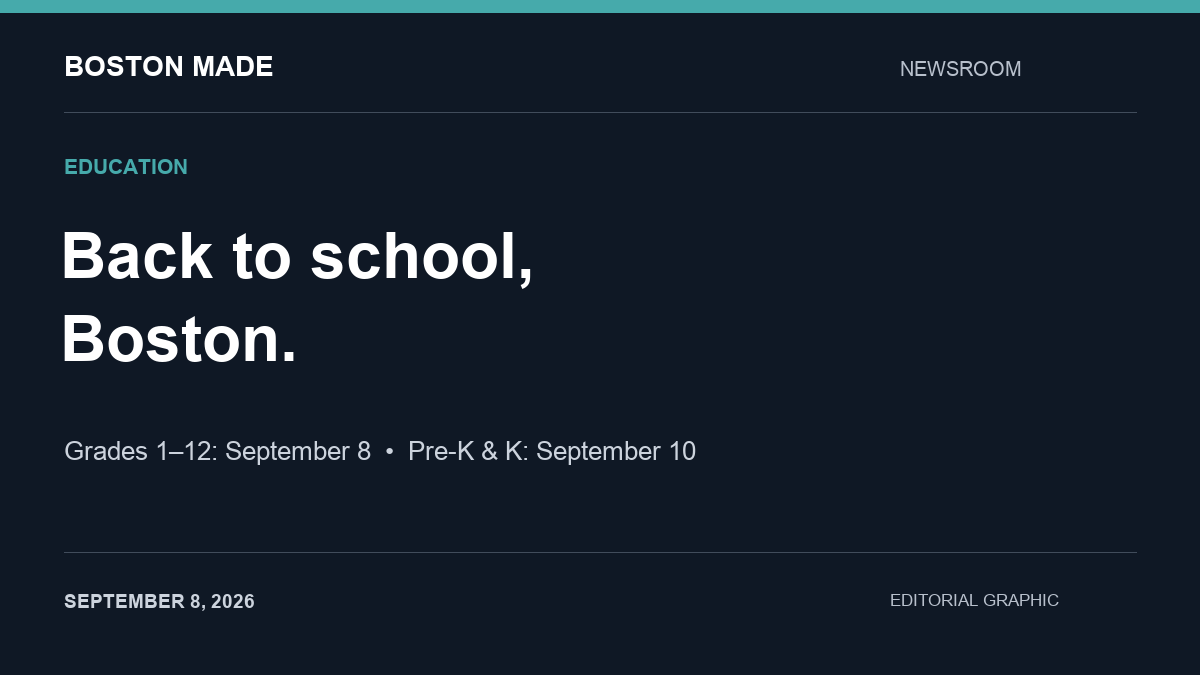
Editorial graphic: Boston grades 1–12 start September 8; pre-K and kindergarten start September 10.

Boston Public Schools begins the 2026–27 school year for grades 1–12 on Tuesday, September 8. Pre-K and kindergarten students start Thursday, September 10, according to the district’s published calendar.

Two opening dates for families

The staggered start means families with children in different grades may have different first-day arrangements. Check each school’s arrival instructions before heading out.

Advertisement

Advertisement

Transportation comes into focus

BPS says new MBTA M7 passes become available beginning September 8. Its transportation team describes planning more than 600 bus routes for roughly 20,000 students each school year, with routes finalized in late August.

For households returning to school and work after Labor Day, confirming the morning route and pickup arrangements is a practical first step. The district’s transportation and school pages provide the most direct starting points for family-specific questions.

Source: Boston Public Schools calendar, transportation information and opening preparations, checked September 8, 2026.

Background

The start of a school year involves a great deal of coordination behind the scenes. Districts set calendars, assign students to schools, plan bus routes, arrange food service and staff classrooms. In a large urban district, transportation alone involves matching thousands of students with routes that must work around traffic, school start times and special needs.

Advertisement

Staggered starts for the youngest students are common in many school systems. Starting early-grade students a few days later can give schools time to settle older students first and then focus on welcoming younger children, many of whom are attending school for the first time. The schedule also gives families a few extra days to prepare.

Boston Public Schools uses the labels K0, K1 and K2 for its early childhood grades, with K2 corresponding to kindergarten. Families new to the district sometimes find these terms confusing, so it is worth confirming which grade a child is enrolled in and which start date applies.

What it means for Boston-area families

For families, the first weeks of school go more smoothly with a little preparation. A few general steps apply to most households:

Advertisement

  • Confirm the basics. Double-check the school address, start and dismissal times, and the entrance your child should use.
  • Know the transportation plan. Find out whether your child is assigned a bus, will use public transit or will be walked or driven, and confirm stop locations and pickup times.
  • Plan for delays. Early-year bus routes can take time to settle. Have a backup plan for getting to and from school during the first weeks.
  • Update contact information. Make sure the school has current phone numbers and emergency contacts.
  • Review health requirements. Massachusetts schools require certain immunizations and health records. Check with your school nurse or district about what is needed.
  • Set up communication tools. Many schools use apps or email lists to share updates. Sign up so you receive notices about schedule changes and events.
  • Build routines early. Adjusting bedtimes and morning routines in the days before school starts can ease the transition.

Helping young children start school

For children starting pre-K or kindergarten, the first days can bring excitement and nerves. Families often find it helpful to talk about what the day will look like, visit the school if possible, practice the trip to school and keep goodbyes short and reassuring. Labeling clothing, backpacks and lunch containers helps teachers return lost items. It is normal for young children to need a few weeks to adjust.

Questions worth asking the school

Families who are new to a school, or whose child is changing schools, often find it useful to ask a few questions in the first weeks:

  1. Who is the best person to contact with questions about my child’s classroom?
  2. How does the school share news, and how often should I expect updates?
  3. What is the procedure if my child will be absent or late?
  4. How are dismissal changes handled, such as a different person picking up my child?
  5. What supports are available if my child needs extra help, language services or accommodations?
  6. Are there opportunities for families to volunteer or join a parent council?

Writing down the answers, along with key phone numbers, keeps the information handy when a question comes up during a busy week.

What it means for working households

For parents and caregivers returning to work after Labor Day, the start of school can require adjustments to work schedules. Employers in the Boston area may see changes in staff availability during the first weeks, especially around different start dates for older and younger children. Planning ahead with supervisors and caregivers can reduce stress.

Key terms

  • Staggered start: A schedule in which different grades begin school on different days.
  • K0, K1, K2: Boston Public Schools labels for early childhood grades, with K2 corresponding to kindergarten.
  • Bus route: A planned path with assigned stops and times for school transportation.
  • MBTA pass: A transit pass for use on the region’s public transportation system, provided to some students.
  • School calendar: The district’s official schedule of school days, holidays and breaks.

What to watch

  • Transportation updates from the district during the first weeks of school.
  • Messages from your child’s school about arrival procedures and any changes.
  • The district calendar for upcoming holidays, early-release days and breaks.
  • Announcements about school meals, after-school programs and family events.
  • Your child’s experience in the first weeks, and any concerns worth raising with teachers.

Quick check: In Boston Public Schools, which early childhood label corresponds to kindergarten?

  1. K0
  2. K1
  3. K2
Show answer

C. BPS uses K0, K1 and K2 for early childhood grades, and K2 corresponds to kindergarten.

Paxton-Digital Boston Made family Paxton-Digital Enterprise technology for IP protection and portfolio management · a Kingswell company. Visit site →

Advertisement

Continue Reading
Advertisement

Advertisement

Ad

Advertisement

Trending

--:--·---·--°