Connect with us

Weather where you are

Choose your location or share it once. We round your coordinates to about 1 km before sending them to our site and MET Norway for your forecast. Your choice stays in this browser tab.

Stay close to Boston

Get new Boston stories and Boston Made company updates, delivered as browser notifications.

Choose Enable notifications, then allow notifications in your browser.

Your browser subscription is stored by Boston Made and delivered through your browser’s push service. You can turn notifications off in your browser’s site settings. Privacy policy

Education

Fenway Web Opens a Free Learning Center to Teach Small Businesses to Build Their Own Websites

Ecosystem Intelligence Desk

Published

on

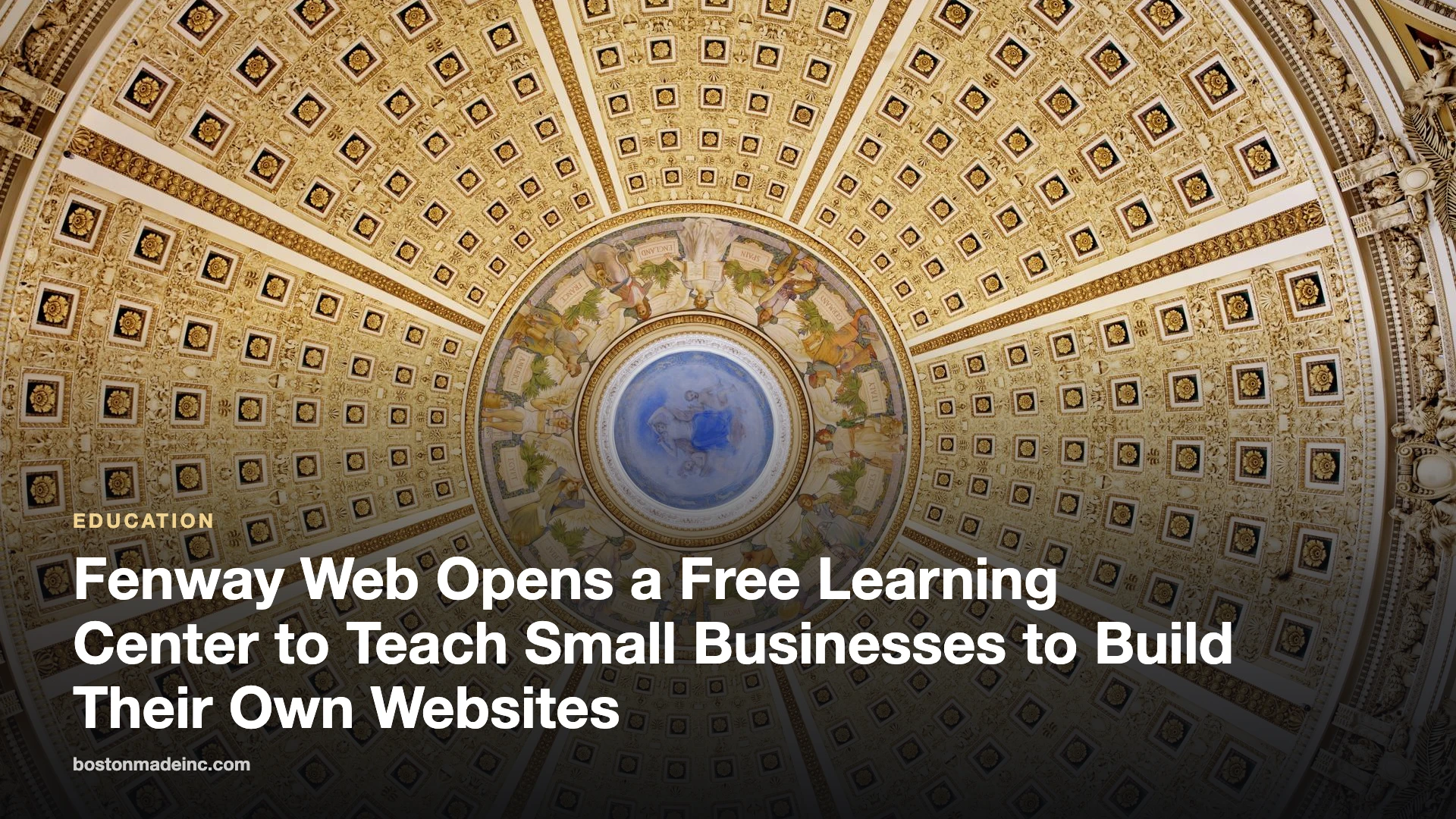
The domed Main Reading Room of the Library of Congress

BOSTON — October 9, 2026 — Fenway Web today announced that info.fenwayweb.com is now its free learning center, teaching small-business owners how to build, launch and grow their own website step by step — with every lesson pointing back to FenwayWeb.com, where they can start building.

Advertisement

Fenway Web is repositioning around a simple idea: most small businesses can launch a professional website themselves if someone shows them how. The learning center does exactly that, in plain language, with no jargon and no upsell in the middle of a lesson.

Start with Build Week

The first course, Build Week, takes a business from no website to launch in five short lessons:

  1. Build Week, Day 1: How to Pick a Domain Name You Won’t Regret
  2. Build Week, Day 2: How to Write a Homepage That Sells in Five Seconds
  3. Build Week, Day 3: Local SEO 101 — Getting Found Near You
  4. Build Week, Day 4: How to Add a Contact and Booking Form People Actually Finish
  5. Build Week, Day 5: The 15-Point Launch Checklist

Each lesson can be finished in an evening, and each ends with a concrete task — pick the domain, write the homepage, set up local search, add the contact form, run the launch checklist.

What’s in the learning center

  • Guides on web design, SEO, content writing and marketing strategy.
  • AI for small business — practical ways to use AI tools to write, design and answer customers faster.
  • News on platform updates and new tutorials.

Do the math before you build

A website is an investment, and it should pay you back. Compare the true first-year cost of building it yourself with hiring it out, and see how quickly the leads your site brings in cover the cost.

Website Payback Calculator

Will a new website pay for itself — and how fast? Compare building it yourself with hiring it out, then see how many leads it takes to break even.

Advertisement

Planning estimate. Enter your own builder plan price and lead value.

The five-minute website health check

  • Can a visitor tell what you do and where you are within five seconds?
  • Is your phone number tappable on a phone?
  • Does every page have one clear next step?
  • Is your business listed with the same name, address and phone everywhere online?
  • Does your contact form actually reach your inbox? Test it today.

About Fenway Web

Fenway Web helps small businesses build their own websites with a self-serve builder at FenwayWeb.com and free tutorials at info.fenwayweb.com.

The post Fenway Web Opens a Free Learning Center to Teach Small Businesses to Build Their Own Websites appeared first on Fenway Web.

Background

Do-it-yourself website builders have made it far easier for small businesses to get online without hiring a developer for every change. Templates handle layout and mobile display, and visual editors let owners add text, images and forms directly. The tradeoff is that the tools only solve part of the problem. A site also needs clear writing, a sensible structure, accurate business information and a few technical basics, which is where step-by-step guidance can help.

Learning resources for small businesses tend to work best when they break a big project into small, finishable tasks. A website is easier to approach as a series of decisions: the name and address of the site, the words on the homepage, how customers find it, how they get in touch and what to check before it goes public.

What it means for small businesses

For an owner deciding whether to build a site personally or hire help, the most honest starting point is time. Building a site yourself trades money for hours. Hiring out trades hours for money. Either can be the right choice, and many businesses do a bit of both, building the basics themselves and getting help for specific tasks such as photography, copywriting or a booking system.

  • Start with the essentials: what you do, where you do it, how to contact you and why a customer should choose you.
  • Keep information consistent: the business name, address and phone number should match everywhere they appear online.
  • Write for phones first: many visitors will see the site on a small screen.
  • Plan for upkeep: hours, prices, staff and services change, and the site should change with them.
  • Own the accounts: keep domain, hosting and builder accounts in the business’s name.

Key terms

  • Domain name: the address people type to reach a website.
  • Website builder: a tool that lets people create and edit a site visually, without writing code.
  • Local SEO: practices that help a business show up in search results for nearby customers.
  • Call to action: a clear prompt, such as a button, that tells visitors what to do next.
  • Lead: a potential customer who has shown interest, for example by calling or filling out a form.
  • Break-even: the point at which the value a site brings in equals what it cost.

What to watch

Once a site is live, a few simple measures show whether it is doing its job. Are people contacting the business through the site? Which pages do visitors look at most? Do searches for the business name and its services bring up the site? Are form messages arriving reliably? Watching these over a few months gives a clearer sense of value than any single day.

Any payback estimate depends on the numbers entered, so it is worth revisiting with real figures once the site has been running for a while. Comparing actual leads and their value against the estimate helps an owner decide where to invest next, whether that is better photos, more service pages or help from a professional.

Quick check: Which item appears in the five-minute website health check?

  1. Is your phone number tappable on a phone?
  2. Does your homepage autoplay music?
  3. Do you have at least ten pop-ups?
Show answer

A. The health check asks whether your phone number is tappable on a phone, along with other basics.

The institutional news desk of the Boston Made network. Reporting is researched from wire services including The Associated Press and local sources, and written by the desk.

Boston Made Stories

Road to the Rocketship, Ch. 8: The Free Library Will Never Charge You

Inside the Boston Made Reader is a free library: complete public-domain books, free Bible and religious studies, and inclusion studies. It’s the one part of the ecosystem that will never ask for payment.

Ecosystem Intelligence Desk

Published

on

Road to the Rocketship, Ch. 8: The Free Library Will Never Charge You

ROAD TO THE ROCKETSHIP · Chapter 8

A company that wants to be trusted should give some things away for good.

Advertisement

Advertisement

The Boston Made Reader carries a promise on its homepage: it is a free literacy resource, “the one Boston Made address that will never ask you for payment.”

What’s on the shelves

  • Complete books: full public-domain texts with their original covers, in a clean book-style reading view.
  • Bible and religious studies: free study material for personal reading or group study.
  • Inclusion studies: readable guides on accessibility and inclusion, such as an ADA overview, “Accessibility 101,” and how to volunteer with Special Olympics as a Unified Partner.
  • History: the long-running Boston history series and reading notes on historical works.

Why it belongs in a business story

A free library doesn’t show up on a revenue line. It builds trust, though, and it keeps readers returning daily, and those are the things the rest of the ecosystem depends on. Free reading, supported by advertising, means nobody gets turned away.


ROAD TO THE ROCKETSHIP is the Boston Made Newsroom’s running story of how Boston Made, Inc. is building its ecosystem, told one chapter at a time. Previous: Ch. 7. Next: Ch. 9, What’s Next.

📚 Read every chapter on the Boston Made Reader → Storylines · Join free at app.bostonmade.com/membership.

Forward-looking descriptions reflect current plans and may change. Nothing here is an offer to sell or a solicitation to buy securities.

Advertisement

Background

The public domain is the body of creative work that is not protected by copyright, either because the protection has expired or because it never applied. In the United States, works published before a rolling cutoff date have entered the public domain, and each January 1 another year of older works becomes free for anyone to read, share and republish. That steady expansion is why classic novels, poetry, essays and historical documents can be offered free in full.

Free reading has deep roots in American life. Public libraries became a fixture of towns and cities in the nineteenth and twentieth centuries, built on the idea that access to books supports education, citizenship and personal growth. Boston played a notable role in that history: the Boston Public Library, founded in the 1840s, is widely recognized as one of the first large free municipal libraries in the country.

Advertisement

Why free reading matters

Literacy affects nearly every part of life, from reading a lease or a medication label to helping a child with homework or applying for a job. Free, easy-to-reach reading material lowers one of the barriers to building and keeping that skill. Digital libraries add convenience: books can be read on a phone during a commute, with adjustable text size, and without a trip to a physical branch.

  • For students: classic texts assigned in school are often in the public domain.
  • For lifelong learners: history, philosophy and literature are available to explore at no cost.
  • For study groups: shared free texts make it easier for everyone to read the same material.
  • For readers with disabilities: digital text can work with screen readers and display settings.

Accessibility and inclusion

The inclusion studies mentioned in the original point to a broader principle: a resource is only free if people can actually use it. Clear layout, readable fonts, good contrast and compatibility with assistive technology all affect whether a reader with low vision, dyslexia or other needs can benefit. The Americans with Disabilities Act, signed into law in 1990, is a civil rights law that prohibits discrimination based on disability in many areas of public life, and it has shaped expectations about access well beyond its legal requirements.

Key terms

  • Public domain: works not protected by copyright, free for anyone to use.
  • Copyright term: the length of time a work is protected before it enters the public domain.
  • Literacy: the ability to read, write and understand written information.
  • ADA: the Americans with Disabilities Act, a federal civil rights law.
  • Advertising-supported: a model in which readers pay nothing and costs are covered by ads.
  • Unified Partner: in Special Olympics, a person without an intellectual disability who takes part alongside athletes with intellectual disabilities.

What to watch

For readers who use free digital libraries of any kind, a few questions help judge quality. Is the text complete and faithful to the original edition? Is the source of each edition identified? Is the reading view comfortable on a phone and accessible with assistive technology? Are new titles added as more works enter the public domain each year?

It is also worth watching how free resources are sustained over time. Libraries, digital archives and reading sites rely on different funding models, and the durability of a free resource often depends on how clearly its model is explained to readers.

Finally, free digital reading works best alongside local institutions rather than in place of them. Public libraries offer librarians, programs, quiet space and community connections that a website cannot replace, and many readers use both. A library card also opens doors to resources that are not in the public domain, including newer books, audiobooks and research databases, so combining the two gives readers the widest possible shelf at little or no cost. Many public libraries also offer digital lending apps that work on the same phones and tablets readers already use.

Quick check: What does the Boston Made Reader’s homepage promise describe it as?

  1. A paid subscription library
  2. A free literacy resource that will never ask for payment
  3. A bookstore with discounts for members
Show answer

B. The Reader describes itself as a free literacy resource that will never ask readers for payment.


Fenway Web Boston Made family Fenway Web Web design, development and SEO studio — custom websites for small businesses, churches and local brands. Visit site →

Advertisement

Continue Reading

Education

Boston Public Schools Opens September 8; Pre-K and Kindergarten Begin Thursday

BPS grades 1–12 begin September 8, with younger students starting September 10 and new M7 transit passes available from opening day.

Ecosystem Intelligence Desk

Published

on

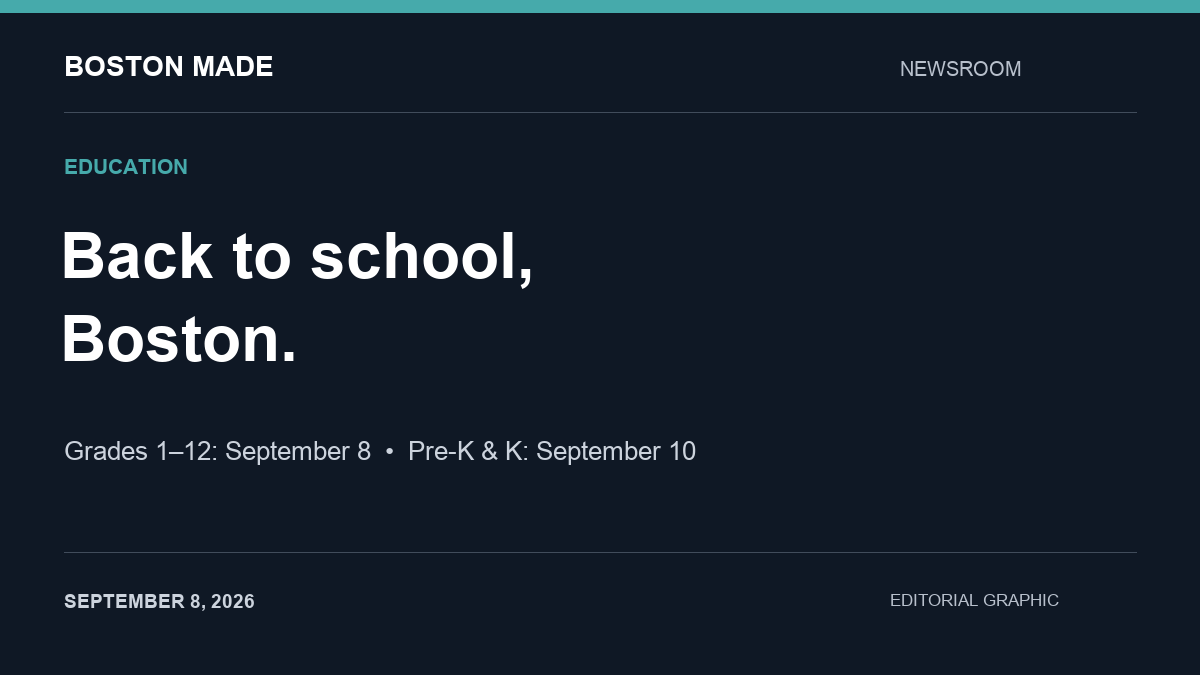
Editorial graphic: Boston grades 1–12 start September 8; pre-K and kindergarten start September 10.

Boston Public Schools begins the 2026–27 school year for grades 1–12 on Tuesday, September 8. Pre-K and kindergarten students start Thursday, September 10, according to the district’s published calendar.

Two opening dates for families

The staggered start means families with children in different grades may have different first-day arrangements. Check each school’s arrival instructions before heading out.

Advertisement

Advertisement

Transportation comes into focus

BPS says new MBTA M7 passes become available beginning September 8. Its transportation team describes planning more than 600 bus routes for roughly 20,000 students each school year, with routes finalized in late August.

For households returning to school and work after Labor Day, confirming the morning route and pickup arrangements is a practical first step. The district’s transportation and school pages provide the most direct starting points for family-specific questions.

Source: Boston Public Schools calendar, transportation information and opening preparations, checked September 8, 2026.

Background

The start of a school year involves a great deal of coordination behind the scenes. Districts set calendars, assign students to schools, plan bus routes, arrange food service and staff classrooms. In a large urban district, transportation alone involves matching thousands of students with routes that must work around traffic, school start times and special needs.

Advertisement

Staggered starts for the youngest students are common in many school systems. Starting early-grade students a few days later can give schools time to settle older students first and then focus on welcoming younger children, many of whom are attending school for the first time. The schedule also gives families a few extra days to prepare.

Boston Public Schools uses the labels K0, K1 and K2 for its early childhood grades, with K2 corresponding to kindergarten. Families new to the district sometimes find these terms confusing, so it is worth confirming which grade a child is enrolled in and which start date applies.

What it means for Boston-area families

For families, the first weeks of school go more smoothly with a little preparation. A few general steps apply to most households:

Advertisement

  • Confirm the basics. Double-check the school address, start and dismissal times, and the entrance your child should use.
  • Know the transportation plan. Find out whether your child is assigned a bus, will use public transit or will be walked or driven, and confirm stop locations and pickup times.
  • Plan for delays. Early-year bus routes can take time to settle. Have a backup plan for getting to and from school during the first weeks.
  • Update contact information. Make sure the school has current phone numbers and emergency contacts.
  • Review health requirements. Massachusetts schools require certain immunizations and health records. Check with your school nurse or district about what is needed.
  • Set up communication tools. Many schools use apps or email lists to share updates. Sign up so you receive notices about schedule changes and events.
  • Build routines early. Adjusting bedtimes and morning routines in the days before school starts can ease the transition.

Helping young children start school

For children starting pre-K or kindergarten, the first days can bring excitement and nerves. Families often find it helpful to talk about what the day will look like, visit the school if possible, practice the trip to school and keep goodbyes short and reassuring. Labeling clothing, backpacks and lunch containers helps teachers return lost items. It is normal for young children to need a few weeks to adjust.

Questions worth asking the school

Families who are new to a school, or whose child is changing schools, often find it useful to ask a few questions in the first weeks:

  1. Who is the best person to contact with questions about my child’s classroom?
  2. How does the school share news, and how often should I expect updates?
  3. What is the procedure if my child will be absent or late?
  4. How are dismissal changes handled, such as a different person picking up my child?
  5. What supports are available if my child needs extra help, language services or accommodations?
  6. Are there opportunities for families to volunteer or join a parent council?

Writing down the answers, along with key phone numbers, keeps the information handy when a question comes up during a busy week.

What it means for working households

For parents and caregivers returning to work after Labor Day, the start of school can require adjustments to work schedules. Employers in the Boston area may see changes in staff availability during the first weeks, especially around different start dates for older and younger children. Planning ahead with supervisors and caregivers can reduce stress.

Key terms

  • Staggered start: A schedule in which different grades begin school on different days.
  • K0, K1, K2: Boston Public Schools labels for early childhood grades, with K2 corresponding to kindergarten.
  • Bus route: A planned path with assigned stops and times for school transportation.
  • MBTA pass: A transit pass for use on the region’s public transportation system, provided to some students.
  • School calendar: The district’s official schedule of school days, holidays and breaks.

What to watch

  • Transportation updates from the district during the first weeks of school.
  • Messages from your child’s school about arrival procedures and any changes.
  • The district calendar for upcoming holidays, early-release days and breaks.
  • Announcements about school meals, after-school programs and family events.
  • Your child’s experience in the first weeks, and any concerns worth raising with teachers.

Quick check: In Boston Public Schools, which early childhood label corresponds to kindergarten?

  1. K0
  2. K1
  3. K2
Show answer

C. BPS uses K0, K1 and K2 for early childhood grades, and K2 corresponds to kindergarten.

Kingswell Strategic Ventures Boston Made family Kingswell Strategic Ventures Holding company that owns Boston Made, Inc. and Paxton-Digital, and sets long-term strategy. Visit site →

Advertisement

Continue Reading

Education

Naming a New Brand: Trademark Searches, Domains and Avoiding Confusion

A brand name has to be memorable, available and distinct from names already in use. This guide walks through brainstorming, screening for conflicts, checking domains and testing a shortlist.

Ecosystem Intelligence Desk

Published

on

5 Lessons From Building a Multi-Brand Portfolio

Kingswell Strategic Ventures is a holding and venture company behind several independent brands, including Paxton-Digital. Any organization that starts more than one brand eventually faces the same recurring task: choosing a name. A strong name is easy to say, easy to remember and unlikely to be confused with someone else’s. This guide explains a practical naming process, from brainstorming through basic availability checks. It offers general education only; for decisions about trademark rights, a qualified trademark attorney is the right resource.

Why Naming Is Harder Than It Looks

Most simple, descriptive words are already in use somewhere. A name that seems perfect on a whiteboard may already belong to a company in a related field, may be impossible to secure as a domain or social handle, or may carry an unintended meaning in another language. A methodical process saves time and reduces the risk of renaming later, which is far more expensive than getting it right at the start.

Advertisement

Advertisement

Understanding Types of Names

Brand names generally fall along a spectrum from descriptive to invented:

  • Descriptive names say exactly what the business does. They are clear but often hard to protect and easy to confuse with competitors.
  • Suggestive names hint at a quality or benefit without stating it outright. They balance clarity with distinctiveness.
  • Arbitrary names use a real word in an unrelated context. They can be memorable and distinctive.
  • Invented names are coined words with no prior meaning. They are usually the most distinctive but require more effort to build recognition.

In general, the further a name moves from pure description, the easier it tends to be to distinguish in the marketplace.

Step 1: Write a Naming Brief

Before brainstorming, write down what the name needs to do. A short brief might include the audience, the tone (playful, authoritative, warm), words or ideas to avoid, the markets where the brand will operate and any constraints, such as a preference for short names or names that work well as a domain. The brief gives everyone a shared standard for judging ideas.

Step 2: Brainstorm Widely

Generate far more options than seem necessary. Useful techniques include:

  • Listing words associated with the brand’s values, audience and setting.
  • Combining two short words into a compound.
  • Borrowing from history, geography or nature in ways that fit the brand.
  • Altering spellings carefully, though unusual spellings can make a name harder to find and type.

It is common to begin with a long list of a hundred or more candidates. Many will be eliminated quickly.

Advertisement

Step 3: Screen for Obvious Conflicts

A preliminary screen weeds out names that are clearly unavailable. It typically involves:

  1. A general web search for the exact name and close variations, paying attention to businesses in the same or related fields.
  2. A search of the national trademark database. In the United States, the U.S. Patent and Trademark Office offers a public search tool for registered and pending marks.
  3. State business registries, which show companies registered under similar names.
  4. App stores and marketplaces, where product names may appear without formal registration.

Trademark conflicts usually turn on whether a name is likely to cause confusion among consumers, which depends on how similar the names are and how related the goods or services are. Two businesses in completely different fields can sometimes share similar names, while a near-match in the same field is a warning sign. A preliminary screen is not a clearance opinion, and a professional search is advisable before investing heavily in a name.

Step 4: Check Domains and Handles

For most brands, a matching or closely matching domain is important. When checking:

  • Look for the exact name in the most common extension first, then consider alternatives.
  • Be cautious with domains that differ from the brand name in confusing ways, such as added hyphens or misspellings.
  • Check major social platforms for available handles, aiming for consistency across them.
  • Consider registering common misspellings and redirecting them to the main site.

A domain or handle being available does not mean a name is free of trademark issues, and a taken domain does not always rule a name out. Both are simply part of the picture.

Advertisement

Step 5: Test the Shortlist

Narrow the list to a handful of finalists and test them with real people outside the team. Useful questions include:

  • Can people spell the name after hearing it once?
  • Can they pronounce it after seeing it written?
  • What does the name make them think the business does?
  • Is it memorable a day later?

Also check meanings in languages relevant to the brand’s audience, and look for unfortunate readings when words run together in a domain name.

Naming Within a Group of Brands

Organizations behind several brands must decide whether names should share a common element or stand fully apart. A shared prefix or word signals a relationship, while independent names give each brand room to develop its own identity. Neither approach is universally better; the choice depends on whether the brands benefit from being associated or from being judged on their own. Whatever the approach, keeping a central record of every name, domain, handle and registration helps prevent lapses and confusion.

Step 6: Secure and Document

Once a name is chosen, move promptly. Register the domain, claim social handles and, after appropriate professional guidance, consider filing for trademark protection in the relevant classes. Record renewal dates and store login credentials securely. Then write a short note explaining why the name was chosen; it becomes a useful reference for future marketing and for anyone who joins the team later.

Common Naming Mistakes

  • Falling in love with a name before checking availability.
  • Choosing a name so descriptive that it blends in with competitors.
  • Picking a spelling that customers will consistently get wrong.
  • Ignoring how the name will look in a logo, on a phone screen and in a web address.
  • Skipping professional advice when significant money is at stake.

A good name will not make a brand succeed by itself, but a poor one can create years of friction. Careful screening up front is time well spent.

Quick check: Which type of brand name is generally the hardest to distinguish from competitors?

  1. An invented, coined word
  2. A purely descriptive name
  3. An arbitrary word used in an unrelated context
Show answer

B. Descriptive names state what a business does, so they tend to resemble competitors’ names and are harder to set apart.

Boston Made UK Boston Made family Boston Made UK Boston Made across the Atlantic. Visit site →

Advertisement

Continue Reading
Advertisement

Advertisement

Ad

Advertisement

Trending

--:--·---·--°