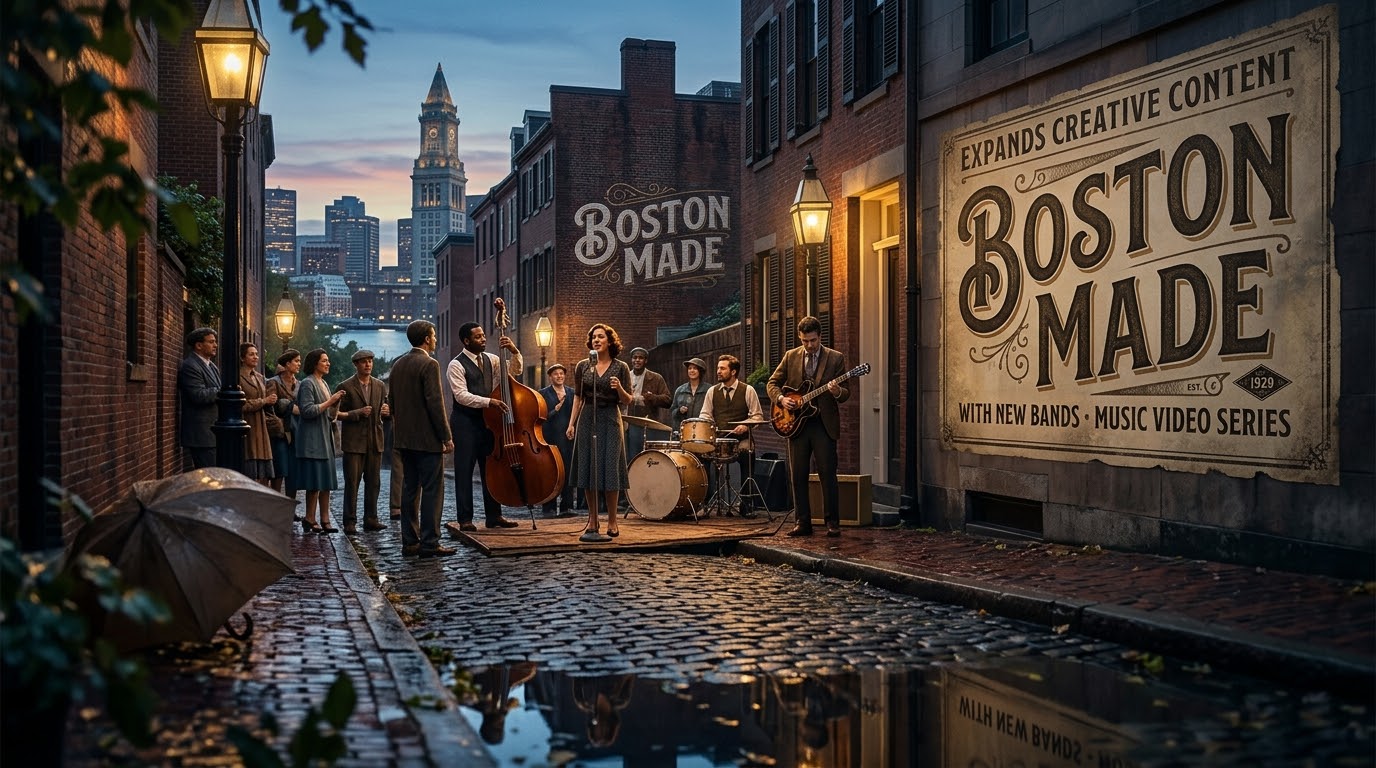
BOSTON — Creativity has always been at the heart of Boston Made, and today we’re excited to introduce another way we’re telling stories through visual media. Our newest Bands feature blends music with cinematic imagery, showcasing vibrant city skylines, everyday moments, dogs exploring the world, and the people who make every destination unique. The result is a relaxing, visually engaging experience that celebrates movement, community, and the beauty found in ordinary life.
For a desk that spends most of its time on corporate news, portfolio updates and the business of building brands, a music video series may look like a detour. It is not. The Bands category represents Boston Made’s commitment to exploring creativity beyond traditional business content, and it reflects a simple belief that runs through everything the company publishes: the way a story feels matters as much as the facts it carries.
Advertisement
What the Bands Feature Is
Bands is a new category inside the Boston Made Newsroom dedicated to music paired with moving pictures. Each video sets a soundtrack against scenes drawn from the world around us, and the visual vocabulary is deliberately broad and familiar:
City skylines — towers at dusk, rooftops catching the first light, the outline of a downtown that people recognize instantly.
Everyday moments — a crosswalk filling up, a coffee counter in the morning rush, a street settling into evening.
Dogs exploring the world — the curiosity of a dog on a new sidewalk or a quiet path, a reminder of how much there is to notice when you slow down.
People who make every destination unique — the neighbors, workers and visitors who turn a place on a map into somewhere with character.
These are not commercials, and they are not news packages. They are short, watchable pieces built to be enjoyed on their own terms, whether a reader plays one at the start of the day, during a break, or as a way to unwind after a long stretch of work.
Why a Business Newsroom Is Investing in Music and Visual Storytelling
While Boston Made’s platforms are known for entrepreneurship, technology, and innovation, the company also believes that art, music, and visual storytelling have the power to inspire, connect, and bring people together. That belief has practical roots as well as creative ones.
Attention is earned, not assumed
Readers today move between text, audio and video constantly. A newsroom that only publishes articles is speaking in one register to an audience that listens in many. Adding a music-and-imagery format gives readers another way to spend time with the brand, and it gives the brand another way to show what it values.
Culture belongs next to commerce
Business coverage can easily become a list of announcements and metrics. Pairing that coverage with creative work is a reminder that companies are made by people living real lives in real places. A skyline at sunset and a quarterly update are both part of the same city story.
Advertisement
Slowing down is a skill
Whether it’s an energetic downtown scene, a peaceful walk with a dog, or the rhythm of a city coming to life, these videos are designed to capture moments that remind us to slow down, observe our surroundings, and appreciate the world from a different perspective. For founders, managers and anyone carrying a heavy workload, that kind of pause is not wasted time. It is often where perspective returns.
How to Get the Most Out of the Series
The Bands videos are designed to be easy, but a few habits can make them more rewarding:
Watch with sound on. The music is half of the experience. The pacing of the edit is built around the track, and the images land differently when you hear what they were cut to.
Use full screen when you can. Skylines and wide street scenes are made for a larger frame. On a phone, turning the device sideways helps.
Treat it as a reset. Play a video between tasks instead of scrolling through another feed. A few minutes of calm imagery can be a cleaner break than a burst of notifications.
Notice the details. Look for the small things: the light on a building, a dog stopping to investigate something only it can see, the way a crowd moves. The series rewards attention.
Come back as the collection grows. One video is a moment. A growing library becomes a mood you can return to.
What Readers Can Expect Next
As the Boston Made Newsroom continues to grow, readers can expect an expanding collection of creative features—including music videos, visual stories, independent productions, and other multimedia experiences that complement the Newsroom’s coverage of business, innovation, and culture.
That list points to a newsroom that is widening its range without abandoning its core. Business reporting, technology coverage and brand updates remain the backbone. Creative features sit alongside them, giving readers a richer picture of the places and people behind the headlines. Some pieces will be pure atmosphere. Others may tell a more defined visual story. Each is meant to complement the reporting rather than replace it.
Readers who want to follow along should keep an eye on the Bands category as new videos are added. Because the series is built around everyday scenes, it also has room to grow in many directions: new cities, new seasons, new neighborhoods, and, of course, more dogs discovering the world one sidewalk at a time.
Creativity as a Discipline
It is easy to think of creativity as something that happens on the side, after the real work is done. At Boston Made, the view is different. Creativity is a discipline that shapes how the company writes, designs and builds. A well-paced video teaches the same lessons as a well-built product: know your audience, respect their time, cut what does not serve the whole, and leave people feeling better than when they arrived.
For readers who run their own businesses, there is a takeaway here too. Brands that show their personality, through music, imagery or simple storytelling, tend to be more memorable than brands that only list features. You do not need a production studio to start. A thoughtful photo series, a short video of your neighborhood, or a playlist that captures the feel of your shop can say something about you that a sales page never will.
At Boston Made, we’re always looking for new ways to create, and Bands is another step in that journey.
Watch, Share and Stay Tuned
Stay tuned as Boston Made continues adding new music videos and creative features to the Boston Made Newsroom, where business, technology, and creativity come together under one roof. In the meantime, here are a few simple ways to take part this week:
Watch the featured Bands video below from start to finish, with the sound up.
Share it with a friend or colleague who could use a calm few minutes in their day.
Bookmark the Bands category so new releases are easy to find.
Take a short walk of your own, with or without a dog, and notice one thing in your city you usually rush past.
Planning a Brand Documentary Shoot: Shot Lists, Call Sheets and Releases
A short brand documentary lives or dies in pre-production. This guide explains the planning documents small teams need, from shot lists and call sheets to location and appearance releases.
Boston Made, the media and marketing brand of Boston Made, Inc. at bostonmade.com, works in the world of stories, content and video. One of the most rewarding formats for any small brand is the short documentary: a few minutes of real people, real places and real work. The quality of that film is usually decided long before a camera rolls. This guide explains the planning documents that keep a documentary shoot organized, legal and on schedule.
Start With a One-Paragraph Story
Before any logistics, write a single paragraph that answers three questions: Who is this film about? What changes or is revealed over the course of it? Who should watch it? A documentary does not need a script in the way an advertisement does, but it does need a point of view. Without one, crews tend to film everything and edit nothing well.
Advertisement
Advertisement
From that paragraph, list the moments that must be captured for the story to make sense. These are the “must-haves.” Everything else is a bonus.
The Shot List
A shot list breaks the story into specific images. For documentary work, it is a guide rather than a contract, because real events rarely unfold exactly as planned. A practical shot list includes:
Scene or location, such as “workshop bench” or “front entrance.”
Shot description, for example “close-up of hands sanding a joint” or “wide shot of the room at opening time.”
Shot size: wide, medium or close-up.
Priority: must-have, nice-to-have or optional.
Notes about timing, lighting or equipment.
Editors often say a scene needs a wide shot to establish place, a medium shot to show action and close-ups to show detail. Planning those three for each key moment gives the edit room options.
B-Roll Is Not an Afterthought
B-roll is the supporting footage that plays over interviews: hands at work, signs, doorways, tools, street scenes. In a short documentary, b-roll often makes up most of what viewers see. Build a separate b-roll list for each location and schedule time specifically to shoot it, ideally when the space is quiet and the light is good. Rushed b-roll is one of the most common reasons small productions look thin.
The Interview Plan
Interviews are the spine of most brand documentaries. For each subject, prepare:
Advertisement
A short list of open questions that invite stories rather than yes-or-no answers.
A note on what this person uniquely knows or has experienced.
The location where the interview will happen, chosen for quiet and visual interest.
An estimated length, with a buffer for setup and conversation.
Share the general topics with subjects in advance but not the exact questions. People who rehearse answers tend to sound stiff on camera.
The Call Sheet
A call sheet is the one-page document that tells everyone where to be and when. Even on a two-person shoot, it prevents confusion. A basic call sheet lists:
Date, production name and a short description of the day.
Location addresses, parking instructions and entry details.
Call times for each crew member and subject.
The day’s schedule, broken into blocks for setup, interviews, b-roll and breaks.
Contact information for the producer and a backup contact.
Weather notes, nearest restroom and any safety considerations.
Send the call sheet the day before the shoot and confirm that everyone has read it.
Scouting the Location
A quick visit before the shoot answers questions that can derail a day: Where are the power outlets? Is there a loud refrigerator, air handler or traffic noise? Where does sunlight fall in the morning versus the afternoon? Is there room to set up lights without blocking a walkway? Take photos and short phone videos during the scout and share them with the crew.
Releases and Permissions
Documentary footage is only usable if the production has the right to use it. Requirements vary by place and purpose, and organizations with specific questions should consult a qualified attorney, but most productions keep three kinds of paperwork in mind:
Advertisement
Appearance releases from people who are interviewed or featured prominently, granting permission to use their name, image and voice.
Location releases from property owners or managers, confirming permission to film on the premises.
Materials releases for artwork, photos, logos or music that appear on camera and belong to someone else.
Collect releases on the day, before filming each person, and store them with the project files. It is far harder to track someone down for a signature months later.
Gear and Backup Checklist
A small documentary kit does not need to be elaborate, but it does need redundancy. Before leaving for a shoot, confirm:
Batteries are charged and spares are packed.
Memory cards are formatted and labeled.
Audio gear, including a lavalier microphone and a backup recorder, has been tested.
Tripod plates, cables and adapters are in the bag.
A plan exists for backing up footage at the end of the day to at least two drives.
Leave Room for the Unexpected
The best moments in documentary work are often unplanned: a subject’s offhand remark, a customer’s reaction, a quiet moment at the end of a long day. A schedule packed from start to finish leaves no time to follow those moments. Building in loose blocks gives the crew permission to keep the camera rolling when something real happens.
Wrapping the Day
Before leaving a location, do a final walk-through to collect gear, reset furniture and thank everyone who helped. Back up the footage, log which cards contain which scenes and note any shots that were missed. Those notes become the first draft of the edit plan and, if needed, a short pickup shoot.
Careful pre-production does not make a documentary feel staged. It frees the crew to pay attention to people instead of paperwork once the cameras are on.
Quick check: Which document tells crew and subjects where to be and when on shoot day?
The shot list
The call sheet
The location release
Show answer
B. The call sheet lists addresses, call times, the schedule and contacts so everyone arrives prepared.
How to Film a Walkthrough Tour Video on a Small Budget
A walkthrough tour video lets people see a space before they visit. Here is how small teams can plan the route, stabilize the camera, light the rooms and edit a tour that feels smooth.
Boston Made, the media and marketing brand of Boston Made, Inc. at bostonmade.com, covers the practical side of content creation for small brands. Tour videos are one of the most useful formats a business can make. A short walkthrough of a shop, studio, office or venue answers questions that photos cannot, and it can be filmed with modest equipment. This guide explains how to plan and shoot one that looks smooth and professional.
Decide What the Tour Is For
A tour video should answer a specific question for a specific viewer. A first-time customer may want to know where to park and what the entrance looks like. A prospective employee may want to see the workspace. An event planner may want to see the room layout and capacity. The purpose determines the route, the length and what deserves screen time.
Advertisement
Advertisement
Write down the three things a viewer should know after watching. If a room or detail does not serve one of those goals, it can be shortened or left out.
Plan the Route Like a Visitor
The most natural tours follow the path a real visitor would take. Start outside or at the entrance, move through the main spaces in a logical order and end at a clear stopping point, such as a reception desk, a featured product or an exit view. Walk the route several times without a camera and note:
Doors that need to be propped open before filming.
Tight corners where the camera operator may bump into furniture.
Spots with mirrors or glass that will reflect the crew.
Places where lighting changes sharply, such as moving from a sunny lobby into a dim hallway.
Choose a Format: Continuous Shot or Edited Sequence
There are two common approaches. A continuous walkthrough follows a single unbroken path, which gives an honest sense of scale and flow but is unforgiving of mistakes. An edited sequence combines several shorter clips, often with a mix of moving and still shots, which allows more control and makes it easier to hide awkward transitions.
Many small teams find a hybrid works best: short moving shots through each room, joined by simple cuts, with a few lingering static shots of key details.
Keeping the Camera Steady
Shaky footage is the most common flaw in tour videos. Several options exist at different price points:
Advertisement
Phone stabilization. Most modern phones include stabilization modes that smooth out walking footage. Test them before the shoot.
Handheld gimbal. A motorized gimbal holds the camera level while the operator walks. It is one of the most effective upgrades for tour work.
Technique. Bend the knees slightly, walk heel to toe and hold the camera close to the body with both hands. Move slowly; slower motion almost always looks better.
Static shots. A tripod or a camera resting on a stable surface provides calm establishing shots between moving segments.
A wide lens helps show more of a room, but very wide lenses can distort walls and make spaces feel larger than they are. Accuracy matters when viewers are deciding whether to visit.
Lighting Interior Spaces
Tours usually rely on available light, so preparation counts. Turn on every overhead light and lamp, open blinds where daylight helps and replace any burned-out bulbs. Mixed light sources, such as warm bulbs alongside cool daylight, can create uneven color. Where possible, keep light sources consistent within each room, or shoot at a time of day when daylight is soft and even.
Avoid pointing the camera directly at bright windows for long stretches. Phone cameras will expose for the window and leave the room dark. Angling the camera so windows are to the side generally gives a more balanced image.
Preparing the Space
A camera notices clutter that people overlook. Before filming, tidy surfaces, hide cords, remove personal items and check for anything that should not appear on screen, such as customer information on a monitor or private notices on a bulletin board. If people will appear in the video, let them know in advance and give them the chance to step out of frame.
Narration, Text or Music
Tours can be explained in several ways:
Advertisement
On-camera host walking through the space, which feels personal but requires a confident presenter.
Voiceover recorded separately and laid over the footage, which allows clean audio and easy revisions.
On-screen text labels, such as “Main showroom” or “Accessible entrance,” which work well for viewers watching without sound.
Music only, which suits short atmospheric tours but conveys less information.
Whatever the approach, add captions. Many people watch video on mute, and captions also improve accessibility.
Editing for Flow
In the edit, aim for a steady rhythm. Trim the beginning and end of each clip so movement starts immediately, and cut on motion when possible, such as as the camera passes through a doorway. Keep the overall length tight. A simple tour for a small business is often most effective in the range of one to three minutes, though the right length depends on the space and the audience.
Finish with a clear closing frame that includes the business name and the most useful next step for the viewer, such as hours or how to get in touch.
Accessibility and Honesty
A tour video is a promise about what visitors will find. Show entrances, steps, ramps and restrooms accurately, because people with mobility needs often rely on these videos to plan a visit. Avoid filters or lens choices that make spaces look dramatically bigger or brighter than they are. A tour that matches reality builds trust.
A Quick Pre-Shoot Checklist
Route walked and timed.
Lights on, clutter cleared, screens checked.
Stabilization tested.
Batteries charged and storage cleared.
People in the space informed.
Closing frame planned.
With a clear purpose and a steady hand, a walkthrough tour can become one of the most practical videos a small business owns.
Quick check: Why should a camera operator avoid aiming directly at bright windows during an interior tour?
It drains the battery faster
The camera exposes for the window and leaves the room looking dark
Windows cause the audio to echo
Show answer
B. Cameras balance exposure for the brightest area, so a bright window can make the rest of the room appear underexposed.
Planning a Recurring Video Series: Formats, Episode Templates and a Realistic Cadence
A recurring video series builds familiarity in a way one-off clips cannot. This guide covers choosing a repeatable format, designing an episode template and setting a schedule a small team can keep.
Boston Made, the media and marketing brand of Boston Made, Inc. at bostonmade.com, focuses on how brands tell stories and reach audiences. A recurring video series is one of the most effective tools for that work, because repetition builds recognition. Viewers learn what to expect, creators get faster with each episode and a library of related videos accumulates over time. This guide explains how to plan a series that a small team can sustain.
Series Versus One-Off Videos
A one-off video has to earn attention from scratch. A series borrows attention from its earlier episodes. When viewers enjoy one episode, they look for the next. Series also simplify production: once the format is set, each new episode follows a known pattern instead of requiring a fresh creative concept.
Advertisement
Advertisement
The trade-off is commitment. A series that starts strong and then stops abruptly can leave a brand looking inconsistent. Planning for sustainability from the beginning matters more than planning for a big launch.
Choosing a Repeatable Format
The best series formats have a clear, repeatable structure. Common examples include:
How-to or tutorial episodes, each solving one specific problem.
Interview or conversation episodes built around a consistent set of questions.
Behind-the-process episodes showing how something is made, step by step.
Question-and-answer episodes responding to common customer questions.
Short explainers that define a term or concept in a minute or two.
Roundups summarizing recent developments in a field.
A good test is to list at least twelve episode ideas that fit the format. If the list runs dry at four, the format may be too narrow.
Defining the Audience and Promise
Every series should make a simple promise to a specific audience. For example: “Each episode answers one common question a first-time homeowner has, in under three minutes.” That sentence sets the topic, the audience and the length. It also gives the team a quick way to judge whether a proposed episode belongs in the series.
Building an Episode Template
An episode template is the skeleton every episode follows. It speeds up scripting, shooting and editing. A typical template includes:
Advertisement
Cold open: a short hook in the first few seconds that shows what the episode covers.
Branded intro: a brief title card or sound cue, kept short so it does not delay the content.
Main segment: the core teaching, conversation or demonstration.
Recap: one or two sentences summarizing the takeaway.
Close: a consistent sign-off and a pointer to related episodes.
Templates also cover visual consistency: the same lower-third style for names, the same caption font, a recognizable thumbnail layout and a consistent title pattern, such as “Episode number: Topic.”
Setting a Realistic Cadence
Cadence is how often new episodes appear. Weekly is common, but it is only the right choice if the team can genuinely deliver it. A reliable monthly series often serves a brand better than an ambitious weekly series that stalls after six episodes.
To estimate a sustainable cadence, time the first two or three episodes from idea to publication, including research, scripting, filming, editing, captioning and uploading. Multiply that time by the proposed frequency and compare it with the hours actually available.
Batch Production
Batching is one of the most effective habits for series work. Instead of producing one episode at a time, the team scripts several in one session, films several on the same day with the same setup and edits them in sequence. Batching reduces setup time, keeps visual consistency high and creates a buffer of finished episodes, which protects the schedule when something unexpected happens.
Advertisement
A practical goal is to have two or three finished episodes ready before the first one is published.
Organizing Seasons
Dividing a series into seasons offers natural breaks. A season might be eight or ten episodes on a related theme, followed by a pause to review results and plan the next set. Seasons make it acceptable to rest without appearing to abandon the series, and they give the team regular moments to refine the format.
Distribution Planning
Different platforms favor different lengths and shapes. A horizontal episode might live on a website or video platform, while short vertical clips drawn from it serve social feeds. Plan these derivative clips during filming so the right shots exist. For each episode, a simple distribution checklist might include:
Full episode uploaded with title, description and captions.
One to three short clips cut for social platforms.
A still image or thumbnail for newsletters and posts.
A written summary for the website.
Measuring What Matters
Raw view counts can be misleading for a young series. More useful early signals include how much of each episode viewers watch, whether returning viewers are increasing over time and whether people comment, share or ask follow-up questions. Review these signals at the end of each season rather than after every episode, since individual episodes can vary for reasons unrelated to quality.
Common Pitfalls
Launching without a buffer of finished episodes.
Letting episode length creep upward without reason.
Changing the format so often that the series loses its identity.
Skipping captions, which limits reach and accessibility.
Stopping without explanation instead of ending a season deliberately.
A recurring series rewards patience. The first few episodes are rarely the best; the value comes from steady improvement and a growing library that viewers can return to.
Quick check: What is the main benefit of batch-producing several episodes at once?
It guarantees more views per episode
It reduces setup time and builds a buffer that protects the schedule
It removes the need for an episode template
Show answer
B. Filming and editing in batches saves repeated setup work and creates finished episodes in reserve for busy weeks.
Contains information related to marketing campaigns of the user. These are shared with Google AdWords / Google Ads when the Google Ads and Google Analytics accounts are linked together.
90 days
__utma
ID used to identify users and sessions
2 years after last activity
__utmt
Used to monitor number of Google Analytics server requests
10 minutes
__utmb
Used to distinguish new sessions and visits. This cookie is set when the GA.js javascript library is loaded and there is no existing __utmb cookie. The cookie is updated every time data is sent to the Google Analytics server.
30 minutes after last activity
__utmc
Used only with old Urchin versions of Google Analytics and not with GA.js. Was used to distinguish between new sessions and visits at the end of a session.
End of session (browser)
__utmz
Contains information about the traffic source or campaign that directed user to the website. The cookie is set when the GA.js javascript is loaded and updated when data is sent to the Google Anaytics server
6 months after last activity
__utmv
Contains custom information set by the web developer via the _setCustomVar method in Google Analytics. This cookie is updated every time new data is sent to the Google Analytics server.
2 years after last activity
__utmx
Used to determine whether a user is included in an A / B or Multivariate test.
18 months
_ga
ID used to identify users
2 years
_gali
Used by Google Analytics to determine which links on a page are being clicked
30 seconds
_ga_
ID used to identify users
2 years
_gid
ID used to identify users for 24 hours after last activity
24 hours
_gat
Used to monitor number of Google Analytics server requests when using Google Tag Manager















 Service4 weeks ago

 Boston Made Eats4 weeks ago

 Technology3 weeks ago

 Editorial4 weeks ago

 Small Business & Entrepreneurship4 weeks ago

 Corporate News4 weeks ago