Connect with us

Weather where you are

Choose your location or share it once. We round your coordinates to about 1 km before sending them to our site and MET Norway for your forecast. Your choice stays in this browser tab.

Stay close to Boston

Get new Boston stories and Boston Made company updates, delivered as browser notifications.

Choose Enable notifications, then allow notifications in your browser.

Your browser subscription is stored by Boston Made and delivered through your browser’s push service. You can turn notifications off in your browser’s site settings. Privacy policy

Small Business & Entrepreneurship

The One-Page Continuity Plan: Who Does What When Your Systems Go Down

A one-page continuity plan: roles and backups, vendor contacts, first steps for site, email, payment or data failures, message templates and a review date.

Published

on

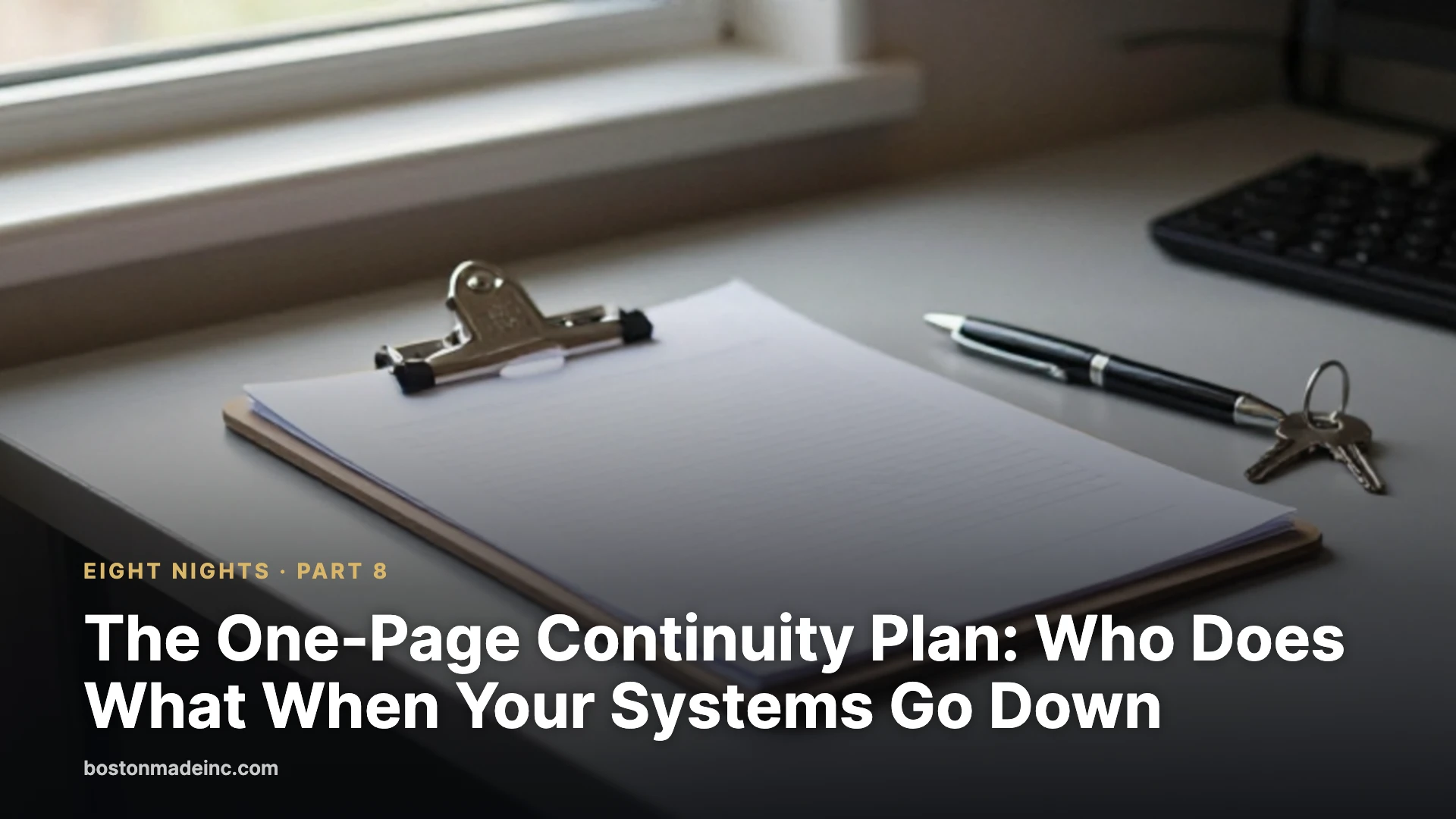
A clipboard with a printed form on a back-office desk beside a pen and a ring of keys in soft morning light.

The first seven parts of this series built the pieces; the last one fits them on a single page that tells anyone in the business who does what, who to call and what to say when the website, email, payments or data stop working.

Eight Nights · Part 8 of 8 · See the full series

Advertisement

Advertisement

Why one page is enough to start

Ready.gov’s business continuity plan template is thorough, covering the continuity team, a business impact analysis, recovery strategies, manual workarounds, incident management, training, testing and maintenance, and Ready.gov advises building an IT disaster recovery plan alongside it. That is the destination. A business with a handful of employees can start with a single page that someone can follow on a bad morning.

The Small Business Administration’s Business Resilience Guide points at the same core: document the operations that matter and the systems behind them, build relationships with key vendors, protect data with backups and cybersecurity, and plan for cash flow. The page below has five blocks (costs, roles, contacts, first steps and messages) plus a review date.

Start with what an outage costs

Ready.gov describes a business impact analysis as a way to predict the consequences of a disruption. The impacts it lists include lost sales and income, increased expenses such as overtime and outsourcing, regulatory fines, contractual penalties and customers who leave. Timing matters too: Ready.gov notes that when a disruption happens can significantly affect the loss, and it advises restoring the processes with the greatest operational and financial impact first.

Two terms from the Ready.gov template are worth putting in plain words. A recovery time objective is how long a process or system can be down before the damage becomes unacceptable. A recovery point objective is how much recent data the business can afford to lose, which is set by how often backups run (Part 2 of this series). Writing both down for the website, email, payments and accounting tells everyone what “urgent” means.

The calculator below uses the business’s own figures rather than industry averages: typical revenue per hour times hours down, plus one-time recovery costs such as emergency developer time or overtime.

Advertisement

Roles, and a backup for every role

Ready.gov’s template asks businesses to define team members’ roles and responsibilities, lines of authority and who takes over when a leader is unavailable. On one page, that becomes four lines, each with a named person and a named backup:

  • Incident lead: decides what happens next and approves customer messages.
  • Website and email: contacts the host, registrar or web developer and starts restores.
  • Money: runs the backup payment method from Part 3 and talks to the bank and processor.
  • Customers and staff: posts updates to listings and social media (Part 5) and answers the phone.

The SBA’s emergency tips say staff need to know whom to contact and how, and suggest setting up a phone tree in advance. Personal mobile numbers belong on the page, because company phones and email may be what failed.

The contact sheet

Ready.gov’s template includes a vendor table with company, contact name and both emergency and business phone numbers. For an online operation, list the registrar, web host, web developer, email provider, payment processor, bank, IT support and insurance agent. Next to each, note where the login and any support PIN live: the company password manager from Part 1, never the page itself.

Ready.gov’s crisis communications guidance says contact lists should be compiled in advance, accessible during an incident, updated regularly and secured. Keep a printed copy in the office and a copy stored outside the company’s own systems. A plan saved only in the email account is no help when email is down.

First steps for the four common failures

Website down

Check from a phone on cellular data to rule out the office connection. Confirm the domain has not expired (Part 1), then call the host with the account PIN ready. Post a notice on the Google Business Profile and social accounts. If the site was hacked or corrupted, restore from a tested backup (Part 2).

Email down

Switch staff to the phone tree or a group text. Check that the domain renewed and its email settings match the DNS records from Part 1, then contact the provider. If an account may have been taken over, the FTC’s first steps are to change the compromised passwords and disconnect affected devices from the network (Part 6).

Payments down

Move to the backup method from Part 3, such as payment links or invoices, and tell customers at the counter and online what still works. Follow Part 3’s card-handling rules rather than improvising.

Data loss or breach

The FTC’s Data Breach Response guide says to mobilize the response team, take affected equipment offline without turning machines off until forensic experts arrive, and preserve evidence. It also says to check state and federal laws and notify law enforcement, affected businesses and affected individuals as required. If money was sent because of a fraudulent request, the FBI’s Internet Crime Complaint Center advises contacting the bank immediately to ask for a recall and filing a complaint at ic3.gov.

Advertisement

Messages written before they are needed

Ready.gov’s crisis communications guidance names the audiences that will want information: employees, customers, suppliers, management, and government officials or regulators. It recommends pre-scripting messages “as templates with blanks to be filled in” when details are known. Two templates cover most small business outages:

Customers: “We’re having a problem with [our website / card payments / email] as of [time]. You can still [call us at ___ / pay by ___ / visit us at ___]. We’ll post an update by [time] at [where].”

Staff: “[System] is down as of [time]. [Name] is leading the response. Until further notice, [workaround]. Send questions to [name] at [personal phone], not by company email.”

Review it on a schedule

Ready.gov’s template calls for a schedule, triggers and assignments for periodic review, plus training, orientations, tabletop drills and full-scale exercises. For a small business, a workable rhythm is a quarterly review, an immediate update whenever a person, vendor or account changes, and an annual tabletop run: the site goes down at 10 a.m. on a busy Saturday, and the team talks through each step. The template also recommends one master copy kept by the team leader.

The Fenway Web Take

A continuity plan fails in two predictable ways: it cannot be found when the systems it describes are down, or the names on it have changed. Fenway Web’s view is that the page should be printed, dated, signed by the incident lead and reviewed every quarter. Each part of this series feeds one line of it. Fenway Web offers clients a free continuity review.

Tonight’s checklist

  • Name an incident lead and a backup.
  • List every vendor with a support phone number and where its login and PIN are stored.
  • Write the first three steps for site down, email down, payments down and data loss.
  • Draft one customer message and one staff message with blanks.
  • Run the downtime calculator with real numbers.
  • Print the page and store a copy outside company systems.
  • Put a quarterly review on the calendar.

What it means for you

  • A one-page plan that people can find beats a thorough plan nobody can open during an outage.
  • Every role needs a named backup and a phone number that does not depend on company systems.
  • Prepared messages save the most time when customers are asking questions.
  • Using real revenue figures shows which systems deserve investment first.

Test yourself

1. What is a recovery point objective, in plain words?

Answer: How much recent data the business can afford to lose, which depends on how often backups run.

2. After a suspected data breach, should affected computers be switched off?

Answer: No; the FTC says to take affected equipment offline but not to turn machines off until forensic experts arrive.

3. Which business processes does Ready.gov say should be restored first?

Answer: Those with the greatest operational and financial impact.

4. Why keep a printed copy of the plan?

Answer: A plan stored only in email or on the website is out of reach when those systems fail.

Discussion

  1. If the owner were unreachable for a day, who would lead the response, and do they know it?
  2. Which system would cost the most per hour if it failed: the website, email, payments or accounting?
  3. What is the one message customers most need to hear in the first hour of an outage?

Downtime cost calculator

Enter the business’s own figures to estimate what one outage could cost. Add overtime, rush fees or outside help to the recovery cost. Blank fields count as zero.

Estimated cost of this outage: $0.00

From the network

  • Boston Made Reader — every story from the family in one free reading app.
  • Fenway Web — the web design and care studio of Boston Made, Inc.
  • Boston Made — the company behind the Boston Made family.

Beacon Federal Partners Affiliate Beacon Federal Partners Independent government-contracting firm and Boston Made affiliate. Visit site →

Advertisement

Latest stories

View all

Small Business & Entrepreneurship

Work on a Weak Signal: Making a Small Business Site Fast on Any Phone

Core Web Vitals targets, lighter images, careful lazy-loading, fewer third-party scripts and how to test a site the way a phone on a weak signal sees it.

Published

on

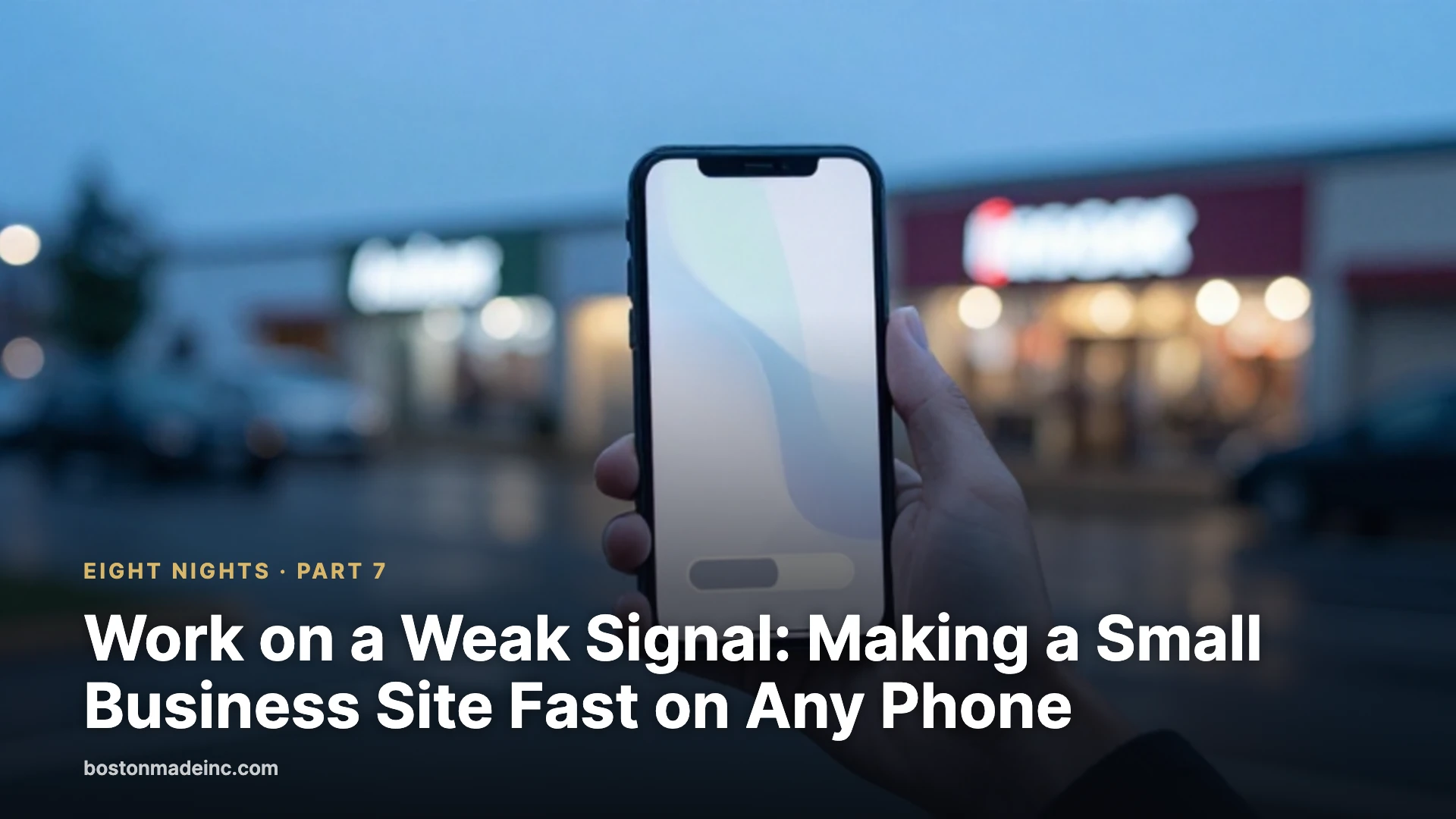
A hand holding a smartphone in a rainy parking lot at dusk, with storefront lights blurred in the background.

The real test of a business website is a customer in a parking lot with one bar of signal, and passing it is mostly a matter of sending that phone less: smaller images, fewer scripts and a page that shows its most important content first.

Eight Nights · Part 7 of 8 · See the full series

Advertisement

Advertisement

Google reads the phone version first

Google says it uses “the mobile version of a site’s content,” crawled with its smartphone agent, for indexing and ranking. Its mobile-first guidance follows from that: the mobile site should carry the same content as the desktop site, the same structured data, equivalent page titles and descriptions, and the same robots tags. Google also says not to lazy-load primary content upon user interaction, such as a tap or click.

In practice, anything a mobile theme hides, such as hours tucked behind a menu that loads on tap or a services list dropped to save space, risks being missed. As far as search is concerned, the phone view is the site.

Three numbers that describe speed

Google’s Core Web Vitals turn “fast” into three measurements, and web.dev publishes the thresholds.

  • Largest Contentful Paint (LCP) measures how long the main image or block of text takes to appear. Good is 2.5 seconds or less; poor is more than 4 seconds.
  • Interaction to Next Paint (INP) measures how quickly the page responds to taps and clicks. Good is 200 milliseconds or less; poor is more than 500.
  • Cumulative Layout Shift (CLS) measures how much the page jumps around while loading. Good is 0.1 or less; poor is above 0.25.

The scores are judged at the 75th percentile of page views, meaning a page rates good only if at least three out of four visits meet the target. The same thresholds apply on phones and desktops. Google Search Central says it highly recommends good Core Web Vitals and that they align with what its core ranking systems reward. It is equally clear about the limit: Google says Search “always seeks to show the most relevant content, even if the page experience is sub-par.” Speed helps most when several useful pages compete for the same search.

Test like a customer, not like the office

An office laptop on a fast connection is a poor place to judge a website. Three free tools give a truer picture.

Advertisement
  • PageSpeed Insights shows two kinds of results. Field data comes from the Chrome User Experience Report, built from real Chrome visits, and reflects what customers actually experience. Lab data comes from Lighthouse, which loads the page on a simulated mid-range phone over a throttled mobile connection and is best for finding what to fix. Pages with too little traffic fall back to data for the whole site.
  • Search Console’s Core Web Vitals report groups similar pages, splits results by mobile and desktop, and labels each group good, needs improvement or poor. A group takes the status of its worst metric.
  • Chrome DevTools device mode includes “Mid-tier mobile” and “Low-end mobile” presets that slow both the network and the processor. Google’s documentation calls device mode a first-order approximation and recommends a real device for accurate results.

The most honest test is still the cheapest: an ordinary phone, Wi-Fi off, standing at the far end of the building.

Start with the images

Chrome’s Lighthouse documentation says large downloads are highly correlated with long load times and can cost visitors money on cellular data plans. Images are the easiest place for most owners to start cutting that weight, with three fixes.

Pick the right format. web.dev recommends JPEG, lossy WebP or AVIF for photos, and says WebP and AVIF generally compress better than older formats and should be used where possible; both work in all modern browsers. PNG preserves fine detail at the cost of much larger files, and vector graphics suit logos and icons.

Send the right size. A photo sized for a wide desktop monitor is wasted on a phone. The srcset and sizes attributes let the browser choose a smaller file for a smaller screen, and Lighthouse flags images that are larger than the space they fill. For WordPress, Chrome’s documentation advises uploading through the media library so the smaller sizes are generated, and avoiding “Full Size” images unless the dimensions are actually needed.

Reserve the space. web.dev recommends width and height attributes on every image so the layout does not jump as pictures arrive, which protects the CLS score.

Lazy-loading, done carefully

Adding loading="lazy" to an image tells the browser to wait until the visitor scrolls near it. web.dev advises using it only for images outside the first screen. The large photo at the top of a page can be the element that sets LCP, and lazy-loading it delays exactly the moment being measured. Browsers that do not support the attribute simply ignore it.

WordPress core adds loading="lazy" automatically to images that carry width and height attributes, including those in post content and excerpts. That default is helpful further down a page, but it is worth checking that a theme or plugin has not applied lazy-loading to the hero image as well.

Advertisement

Fewer third-party scripts

Third-party scripts are code loaded from someone else’s server: social sharing buttons, video embeds, advertising frames, analytics and testing tools. web.dev notes they can add requests to several outside servers and keep the phone’s processor busy, delaying both the first view and the response to taps. Its advice is direct: if a script does not add clear value, remove it. For the rest, load scripts with async or defer unless they are essential to the first render, and delay embeds such as videos until the visitor scrolls near them.

A useful exercise is a one-page script inventory: every tracking pixel, chat bubble, pop-up and widget on the site, who asked for it and when anyone last looked at its results. Scripts with no owner are candidates for removal.

The Fenway Web Take

Speed is usually filed under marketing, but it behaves like continuity. A page that loads on office Wi-Fi and stalls on one bar of signal is effectively down for the customer who is trying to find the address, call or pay. Fenway Web’s recommended order of work is simple: measure the mobile scores first, fix images, cut scripts, confirm the top image is not lazy-loaded, then measure again so the change is visible. Most of that work removes things rather than adds them. Fenway Web offers clients a free continuity review.

Tonight’s checklist

  • Run the home page and the busiest landing page through PageSpeed Insights on the mobile tab.
  • Write down LCP, INP and CLS, and whether each is rated good.
  • Load the site on a phone with Wi-Fi off, away from the router.
  • Replace oversized photos with properly sized WebP or AVIF versions.
  • Confirm the main image at the top of each key page is not lazy-loaded.
  • List every third-party script and remove those nobody can justify.
  • Compare the mobile and desktop pages to make sure no important content is missing on the phone.

What it means for you

  • Google ranks the mobile version of the site, so that is the version to perfect.
  • Aim for LCP of 2.5 seconds or less, INP of 200 milliseconds or less and CLS of 0.1 or less.
  • Smaller, modern-format images are one of the simplest improvements to make.
  • Every widget and tracking script has a speed cost and should earn its place.

Test yourself

1. What Largest Contentful Paint time counts as good?

Answer: 2.5 seconds or less, measured at the 75th percentile of page views.

2. Should the large photo at the top of the home page be lazy-loaded?

Answer: No; web.dev advises lazy-loading only images outside the first screen, and the top image can be the element that sets LCP.

3. Which version of a website does Google use for indexing and ranking?

Answer: The mobile version, crawled with Google’s smartphone agent.

4. In PageSpeed Insights, what is the difference between field data and lab data?

Answer: Field data reflects real Chrome visits, while lab data comes from a simulated test on a throttled phone and is best for debugging.

Discussion

  1. Where do customers most often pull up the website, and how strong is the signal there?
  2. Which script or widget on the site would anyone actually miss if it disappeared tomorrow?
  3. Who should own the mobile speed scores, and how often should they be checked?

Weak-signal download time

Take the page weight from PageSpeed Insights or Chrome DevTools and see how long it takes to download on a slow connection, before and after trimming images.

Time to download the page:

From the network

  • Boston Made Reader — every story from the family in one free reading app.
  • Fenway Web — the web design and care studio of Boston Made, Inc.
  • Boston Made App — a guided way to discover every brand and tool in the family.

Paxton-Digital Boston Made family Paxton-Digital Enterprise technology for IP protection and portfolio management · a Kingswell company. Visit site →

Advertisement

Continue Reading

Small Business & Entrepreneurship

Before Amazon’s Drones Fly Over Westborough, MassDOT Says the State Gets a Say

A state letter reminds Amazon that no Prime Air takeoff site can open in Massachusetts without an Aeronautics Division certificate, a safety and environmental review, and at least one public hearing.

Published

on

A delivery drone in flight during a supply-drop exercise

Amazon wants to launch Prime Air drone deliveries from a takeoff and landing area in Westborough. The Massachusetts Department of Transportation has a message for the company: not before the state signs off.

In a letter dated October 22, MassDOT told Amazon that the FAA approves its drones as an air carrier, but the flights are commercial operations subject to state law. No takeoff and landing site can be established in Westborough or anywhere else in Massachusetts without a certificate of approval from the state’s Aeronautics Division.

Advertisement

Advertisement

What the state wants first

  • An official notification and review request from Amazon, which the division says it has not received.
  • Its own suitability review confirming the operation poses no safety threat.
  • An environmental impact review.
  • At least one public hearing before any certificate is issued.

The division said residents have already raised concerns about low-altitude flights over private property and possible conflicts with police, public safety crews and other drone operators.

The town has spoken, too

At a Special Town Meeting on Monday, October 20, Westborough voters overwhelmingly backed a bylaw restricting commercial drones. That bylaw still needs sign-off from the state attorney general and the Aeronautics Division.

Amazon spokesperson Lindsay Hamilton said the company remains committed to working with state and local officials and welcomes the chance to demonstrate the safety of its operations, noting Prime Air has flown in nine states with FAA approval.

Why it matters

Massachusetts is drawing a line that other states will watch: federal clearance gets a drone in the air, but the state decides where it can take off and land. For Amazon, the Westborough site is now a permitting process with a public hearing, not a launch date.

Source: Boston.com. Reported and written by the Ecosystem Intelligence Desk.

Advertisement

Background

Drone delivery sits at the meeting point of two very different kinds of rules. The Federal Aviation Administration regulates the national airspace, including the safety of aircraft, pilots and operators. Cities, towns and states have traditionally regulated land use, including where businesses can operate, what they can build and how they affect neighbors. A delivery drone touches both systems: it flies through federally regulated airspace, but it has to take off and land somewhere on the ground.

Advertisement

That split has been a recurring question as commercial drone programs have grown across the country. Federal approval typically focuses on whether the aircraft and the operation can fly safely. State and local reviews tend to focus on questions such as zoning, noise, environmental effects and how a facility fits into a community. How those layers fit together for drones is still being worked out in many places, which is why the Massachusetts approach described here draws attention.

What it means for Boston-area readers

For residents of Westborough and surrounding towns, the most practical point in the state’s letter is the process it describes. A suitability review, an environmental impact review and at least one public hearing all create moments when residents can learn details and share views. People who want to follow the matter can watch for official notices from the Aeronautics Division and from the town.

For businesses in the region, the case is a useful reminder that federal permission is not always the only permission an activity needs. Companies considering new technology, from drones to new kinds of vehicles or equipment, often face a mix of federal, state and local requirements, and the timing of those reviews can shape when a project can begin.

  • Residents may want to know how the review process works and where hearing notices will be posted.
  • Local officials are weighing how a town bylaw fits alongside state and federal rules.
  • Other businesses can watch how the state applies its certificate process to commercial drone operations.

Key terms

  • FAA: the Federal Aviation Administration, the federal agency responsible for civil aviation safety and the national airspace.
  • Air carrier: an operator approved to carry goods or passengers commercially by air.
  • MassDOT Aeronautics Division: the part of the Massachusetts Department of Transportation that oversees aviation matters in the state, including airports and landing areas.
  • Certificate of approval: the state sign-off the division says is needed before a takeoff and landing site can be established.
  • Bylaw: a local law adopted by a town, often through town meeting in Massachusetts.
  • Special Town Meeting: a town meeting called outside the regular annual schedule to act on specific articles.

What to watch

  • Whether Amazon files the notification and review request the division says it has not yet received.
  • How the attorney general and the Aeronautics Division respond to the Westborough bylaw.
  • When a public hearing is scheduled, and what information is made available beforehand.
  • What the suitability and environmental reviews examine, and how their findings are shared.
  • Whether other Massachusetts communities consider similar local rules on commercial drones.

Each of those steps will shape how, and whether, drone deliveries move forward in Westborough. Following the official record, rather than speculation, is the most reliable way to keep up. Public hearing notices, meeting minutes and published review documents are typically the clearest sources, and they allow residents to see the same information officials are weighing before any decision is made. Town and state websites usually post these materials, along with instructions for submitting written comments.

Quick check: According to MassDOT, what is required before a drone takeoff and landing site can be established in Massachusetts?

  1. Only FAA approval
  2. A certificate of approval from the state’s Aeronautics Division
  3. A permit from the town police department
Show answer

B. MassDOT said no site can be established without a certificate of approval from the Aeronautics Division.

Kingswell Strategic Ventures Boston Made family Kingswell Strategic Ventures Holding company that owns Boston Made, Inc. and Paxton-Digital, and sets long-term strategy. Visit site →

Advertisement

Continue Reading

Economy

What Rising Costs Mean for Boston’s Small Businesses in 2026

Boston-area inflation is running at 3.7% year-over-year, led by a 16% jump in energy costs and rising shelter prices, squeezing small business margins across the region.

Published

on

Illustration for “What Rising Costs Mean for Boston’s Small Businesses in 2026”

Small business owners in Greater Boston are contending with a cost environment that, while cooling in some categories, is still squeezing margins in the places that matter most: energy, rent, and labor.

What’s driving prices higher

The Boston-Cambridge-Newton metro area’s consumer price index rose 3.7% year-over-year as of July 2026, according to federal labor statistics. Energy costs are the biggest culprit, up 16.0% over the year with gasoline alone jumping 30.5%. Shelter costs — which factor into commercial as well as residential rents in many small-business leases — climbed 4.7%, and education and communication costs rose 4.5%.

Advertisement

Advertisement

Core inflation, which strips out food and energy, still expanded 3.0% over the year, with shelter again cited as the single largest contributor to price growth over the most recent two-month period.

Where businesses are catching a break

Not every cost is rising. Apparel prices actually fell 6.9% over a recent two-month stretch, and dairy prices are down 2.9% year-over-year — the lone decline among major grocery categories. For retailers and restaurants, that’s a modest offset against the bigger increases in energy and occupancy costs.

Why small businesses feel it more than big ones

Unlike large employers, most small businesses can’t hedge energy contracts or negotiate multi-year rent concessions at scale. A double-digit jump in energy costs and a near-5% rise in shelter costs hits a neighborhood restaurant or independent retailer’s bottom line directly and immediately, often faster than it shows up in headline economic data.

That squeeze is happening against the backdrop of a broader economic picture that’s sending mixed signals: statewide job growth is outpacing the national average, but biotech layoffs, corporate relocations, and population loss have all been part of the conversation about the health of the Massachusetts economy this year.

What owners can watch for

Energy and shelter costs are the two line items most likely to keep pressuring small business margins through the rest of 2026. Boston Made’s Economy desk will continue tracking regional CPI data as new releases come out, along with the state and local policy responses aimed at easing costs for small employers.

Advertisement

Background

The Consumer Price Index is produced by the U.S. Bureau of Labor Statistics and measures changes over time in the prices households pay for a broad basket of goods and services. Alongside the national index, BLS publishes indexes for a number of metropolitan areas, including Boston-Cambridge-Newton. Metro-area indexes are released less frequently than the national figure, and because they are based on smaller samples, they can be more volatile from one release to the next.

The CPI is designed to measure consumer prices, not business costs directly. Still, many of the categories it tracks, such as energy, food and shelter, overlap with the costs small businesses face. A restaurant buys food and pays utility bills; a retailer pays rent and heats a storefront. That overlap is why business owners often watch the CPI as one signal among several.

Advertisement

Core inflation, which excludes food and energy, is meant to show underlying price trends without the swings of those volatile categories. For businesses with high energy use, though, the headline number that includes energy can be closer to their own experience.

It also helps to remember that inflation figures describe the rate at which prices are changing, not the price level itself. A slowing inflation rate means prices are rising more slowly, not that they are falling.

What it means for small businesses

Small businesses cannot control regional prices, but they can manage how those prices affect them. A few general practices are widely used:

  • Know your biggest cost lines. Reviewing the last twelve months of expenses by category shows which increases matter most for your margins.
  • Review your lease. Commercial leases vary. Some pass through costs such as property taxes, insurance or common-area maintenance. Knowing what can change, and when, helps with planning.
  • Look at energy use. Many utilities and state programs offer energy assessments and incentives for commercial customers. Simple changes, such as efficient lighting or better controls on heating and cooling, can reduce use.
  • Revisit pricing thoughtfully. Small, well-explained price adjustments are often easier for customers to accept than infrequent large ones.
  • Compare suppliers. Periodically checking prices with alternative suppliers can reveal savings or provide leverage in negotiations.
  • Build a cash cushion. Even a modest reserve can help absorb unexpected cost spikes.
  • Talk to an accountant. A professional can help model how rising costs affect profitability and taxes.

Key terms

  • Consumer Price Index (CPI): A measure of the average change in prices paid by urban consumers for a basket of goods and services.
  • Metro-area CPI: A CPI calculated for a specific metropolitan region, such as Boston-Cambridge-Newton.
  • Core inflation: Inflation excluding food and energy prices.
  • Shelter: The CPI category covering housing costs, the largest single component of the index.
  • Margin: The share of revenue a business keeps after covering costs.
  • Pass-through: A lease or contract provision that shifts certain costs to the tenant or customer.

What to watch

Several public releases can help owners follow cost trends, without assuming any particular direction:

  • Upcoming releases of the Boston-Cambridge-Newton CPI from BLS.
  • National CPI and core inflation, which offer a broader context.
  • Seasonal electricity supply rate changes announced by utilities.
  • Heating fuel prices during the colder months.
  • State and local programs aimed at small employers, such as energy incentives or grants.
  • Your own monthly expense reports compared with the same months last year.

Quick check: What does core inflation exclude?

  1. Housing and rent
  2. Food and energy
  3. Clothing and education
Show answer

B. Core inflation strips out food and energy, whose prices tend to swing sharply.

Boston Made UK Boston Made family Boston Made UK Boston Made across the Atlantic. Visit site →

Advertisement

Continue Reading
Advertisement

Advertisement

Ad

Advertisement

Trending

--:--·---·--°