Connect with us

Weather where you are

Choose your location or share it once. We round your coordinates to about 1 km before sending them to our site and MET Norway for your forecast. Your choice stays in this browser tab.

Stay close to Boston

Get new Boston stories and Boston Made company updates, delivered as browser notifications.

Choose Enable notifications, then allow notifications in your browser.

Your browser subscription is stored by Boston Made and delivered through your browser’s push service. You can turn notifications off in your browser’s site settings. Privacy policy

Corporate News

Making Community Events Accessible for Everyone: A Practical Planning Guide

An event is only open to the community if people can actually get in, take part and feel welcome. This guide covers venues, communication, sensory needs and more.

Published

on

Three professionals in a modern office lounge

The Boston Made Foundation offers community guides and volunteering resources, and one of the most common questions from organizers is how to make an event work for everyone who wants to come. A neighborhood cleanup, a school fair, a block party or a workshop can be wonderful, but if someone cannot reach the venue, hear the speaker, read the signs or afford the ticket, the event is not truly open. Accessibility is not a single checklist item; it is a habit of planning that considers different needs from the start. This guide offers practical steps for organizers of all sizes.

Start With the Right Mindset

Accessibility is often thought of only in terms of wheelchairs and ramps. Those matter, but accessibility is broader. People may have mobility, vision, hearing, cognitive, sensory or chronic health conditions, some visible and many not. Others face barriers related to language, cost, transportation, childcare or schedule. Planning for accessibility means asking, at every stage, “Who might be left out, and what would help?”

Advertisement

Advertisement

It is also worth remembering that accessible design tends to help everyone. Step-free entrances help parents with strollers. Clear signage helps first-time visitors. Captions help people in noisy rooms.

Choosing the Venue

The venue shapes much of the experience. Before booking, organizers can visit in person or ask detailed questions:

  • Entrances. Is there a step-free entrance? Is it the main entrance, or a side door that requires a long detour?
  • Inside the space. Are there elevators to all levels used? Are aisles wide enough for wheelchairs and walkers?
  • Restrooms. Is there at least one accessible restroom, and is it easy to find?
  • Seating. Can seating be arranged to include spaces for wheelchair users alongside companions, plus chairs with arms and backs for people who need them?
  • Getting there. Is the venue near public transit? Is accessible parking available, and how close is it to the entrance?
  • Outdoor events. Are paths firm and level? Is there shade, seating and access to water?

Communicating Before the Event

Good information helps people decide whether and how they can attend:

  1. Share accessibility details in advance. Event listings should describe entrances, parking, transit options, restroom access and seating. If something is not accessible, saying so honestly lets people plan.
  2. Invite accommodation requests. Registration forms can include a question such as, “Is there anything we can do to make this event work better for you?” with a contact and a reasonable deadline.
  3. Use accessible formats. Event flyers and web pages should use readable fonts, good color contrast and descriptive text for images. Digital documents should be compatible with screen readers.
  4. Use plain language. Clear, simple wording helps everyone, including people with cognitive disabilities and people reading in a second language.

Communication During the Event

  • Sound. Use a microphone for speakers, even in small rooms, and repeat audience questions into the microphone.
  • Interpreters and captions. For larger or important events, consider American Sign Language interpreters and real-time captioning. These services often need to be booked well in advance.
  • Visual materials. Slides should use large text and high contrast, and presenters should describe key visuals aloud.
  • Printed materials. Offer large-print versions of programs, maps or handouts.
  • Languages. In multilingual neighborhoods, translated materials or interpreters can significantly broaden participation.

Sensory Considerations

Some attendees, including many autistic people and people with sensory processing differences, migraines or anxiety, may find loud music, flashing lights or crowds overwhelming. Helpful steps include:

  • A designated quiet space where people can take a break
  • Advance notice of loud segments or special effects
  • Avoiding strobe or rapidly flashing lights
  • Clear schedules so people know what to expect

Food, Cost and Timing

Accessibility also includes practical barriers:

Advertisement
  • Food. Label common allergens and offer options for different dietary needs.
  • Cost. Free or low-cost options can make a big difference. Where tickets are necessary, flexible pricing can help.
  • Timing. Consider work schedules, school pickup, religious observances and transit hours. Offering events at different times of day can reach different groups.
  • Childcare and family-friendly options can allow caregivers to participate.

Service Animals and Assistance

Service animals should be welcomed, and volunteers should understand basic etiquette, such as not distracting a working animal. Organizers can also designate helpers to assist with directions, seating or carrying items when asked, while respecting attendees’ independence.

Preparing Volunteers and Staff

A brief orientation can make a big difference. Volunteers should know where accessible entrances, restrooms and quiet spaces are, how to respond to accommodation requests, and how to offer help respectfully: ask first, listen to the answer and avoid assumptions.

Emergency Planning

Evacuation plans should account for people who cannot use stairs, who may not hear alarms or who may need assistance. Volunteers should know the plan.

Learning and Improving

After the event, ask for feedback, including specific questions about accessibility. Note what worked and what did not, and build those lessons into the next event. Involving people with disabilities in planning from the beginning, not just as attendees, is one of the most effective ways to improve.

A Quick Planning Checklist

  • Step-free entrance and accessible restroom confirmed
  • Accessibility information included in event listings
  • Accommodation request option on registration
  • Microphones, captions or interpreters as appropriate
  • Quiet space and clear schedule
  • Allergen labels and dietary options
  • Volunteers briefed on accessibility and emergency plans
  • Feedback collected afterward

Accessible events are rarely perfect, but each improvement opens the door wider for neighbors who might otherwise stay home.

Quick check: Which of these is a good practice for communication during an event?

  1. Skipping the microphone in small rooms
  2. Repeating audience questions into the microphone
  3. Using only spoken announcements with no written information
Show answer

B. Repeating questions into the microphone ensures that everyone, including people with hearing loss and those using captions, can follow the conversation.

Lumo Kingswell Lumo Precious-metals education and a two-sided gold exchange with a live gold price. Visit site →

Advertisement

Latest stories

View all
Service · Nov 25, 2026Write Image Descriptions After You Choose the Actual CropAn image description should reflect the image a visitor actually receives. Writing it before the final crop can leave a description that mentions a…Read story
Continue Reading

Corporate News

Boston Made Shares a First Look at Heart Latch

A name, a mark and a web address: Boston Made, Inc. offers the first clues about Heart Latch, a new app built around how two people meet.

Published

on

Heart Latch logo: two linked shapes forming a heart beside the Heart Latch wordmark

FOR IMMEDIATE RELEASE
November 20, 2026

Boston Made, Inc. today shared the first look at a new venture it has been keeping quiet: a name, a mark and a web address. The name is Heart Latch. The mark is two shapes that link together to form a heart. The address is heartlatch.com.

Advertisement

Advertisement

Everything else is staying under wraps for now, but the company offered a few clues about where this is going. Heart Latch is an app. It is about people, not products. And it is built around a simple belief: the hardest part of meeting someone should not be the software.

Reading the mark

The Heart Latch logo is made of two rounded shapes, one coral and one deep rose, that cross and lock into a single heart. Where they overlap, the color deepens. At the point where they meet there is a small opening, the latch. Two separate things, one connection, and a door that only opens when both sides want it to.

Two people. One latch. The rest of the story is coming.

What the company will say for now

  • Heart Latch is a new company in the making, with its own name, its own look and its own home at heartlatch.com.
  • It is being designed for real conversations and real first meetings, not endless scrolling.
  • Safety, honesty and respect are being treated as the foundation, not as features added later.
  • It will arrive on phones first.

What comes next

Boston Made is not announcing a launch date, pricing or a list of cities today. Those details will be shared when the product is ready to be judged on its own merits. In the meantime, the name and the mark are public, and the address is live to bookmark.

Anyone curious about Heart Latch can follow the Boston Made newsroom for the full announcement.

Advertisement

About Boston Made, Inc.

Boston Made, Inc. is a Delaware corporation founded in 2019 by Nathanael Strickland, Founder & CEO. It is the company behind the Boston Made family of brands, spanning publishing, pets, web design, software and community projects. Learn more at bostonmade.com.

Media contact: sales@bostonmade.com

This release describes projects that are still in development. Names, features, timing and availability may change, and nothing here is an offer to sell a product or service.

PupWear (.org) Boston Made family PupWear (.org) Dog apparel and gear inspired by Boston the GoldenDoodle. Visit site →

Advertisement

Continue Reading

Corporate News

Boston Made Opens Advertising on bostonmade.com and BOSSTOX With Published Rates

Boston Made, Inc. opened advertising on bostonmade.com and BOSSTOX, with event boosts from $5 a day and rates posted on each site’s Advertise page.

Published

on

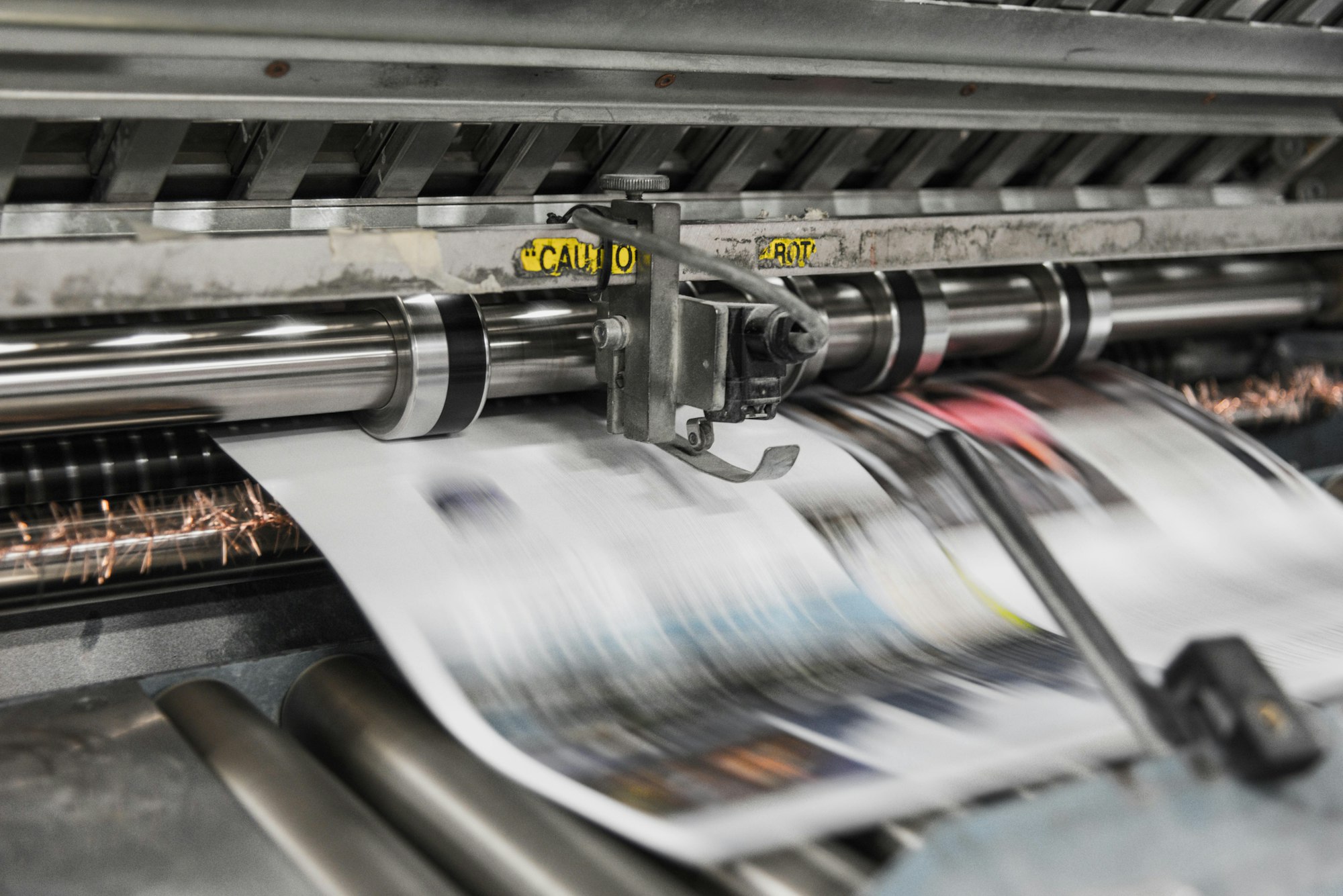
A printing press running sheets of newsprint

BOSTON, Nov. 12, 2026 — Boston Made, Inc. today opened advertising on two of its websites, bostonmade.com and BOSSTOX (bosstox.com), with rates published on each site’s Advertise page. Local businesses, event organizers and companies that want to reach readers following the AI infrastructure buildout can now see prices, placements and ground rules before they reach out, rather than requesting a media kit and waiting for a quote.

The launch follows the company’s move this week to give each brand its own newsletter list, so sponsors reach readers who signed up for that brand’s coverage specifically.

Advertisement

Advertisement

What is available on bostonmade.com

Boston Made publishes Boston and New England news, city guides and local stories. Its Advertise page, at bostonmade.com/advertise, lists three options:

  • Event boost — $5 per day. An event or local listing appears in a spot labeled “Promoted” on bostonmade.com for the days the advertiser chooses. It is built for small budgets: a neighborhood fundraiser, a pop-up market or a restaurant’s holiday menu can run for a long weekend for the price of a coffee a day.
  • Newsletter sponsor — $150 per send. A short, labeled message in the Boston Made newsletter, written in plain language and linked to the sponsor’s site. Each newsletter carries one sponsor, so the message is never buried among others.
  • Sponsored article — pricing on request. A feature written with the Boston Made desk or supplied by the sponsor, labeled “Sponsored” with the sponsor’s name and kept separate from news coverage.

What is available on BOSSTOX

BOSSTOX covers the infrastructure that makes artificial intelligence possible: power, grid equipment, data centers, cooling, chips, networking, capital and supply chains. Its readers include operators, engineers, procurement teams, founders and business readers who want specifics. The BOSSTOX Advertise page, at bosstox.com/advertise, lists:

  • Newsletter sponsorship — $40 to $100 CPM. Priced per 1,000 newsletter opens, with one sponsor per edition. The rate depends on placement and length.
  • Display and site sponsorship — pricing on request. Clearly labeled positions alongside BOSSTOX coverage.
  • Research and briefing sponsorship — pricing on request. Support for a labeled research series, briefing or special report that fits BOSSTOX readers’ interests.

Every BOSSTOX sponsorship carries an “education only” label. BOSSTOX does not run stock picks, brokerage offers or trading promotions, and it does not execute trades or give investment advice.

Why publish the prices

Many publishers keep their rates behind a media kit request or a sales call. That works for large agencies, but it slows down the small businesses that make up most of a local audience. A bakery owner deciding whether to promote a holiday open house should not need three emails to learn what it costs.

Published prices also make the offer easier to compare. An advertiser can weigh a $5 daily event boost against a social media ad, or a $150 newsletter sponsorship against a print insert, and decide in minutes. Final terms are still confirmed in writing before anything runs, and prices are listed in U.S. dollars.

Advertisement

Publishing rates also keeps the company honest with readers. When the price of a placement is public, so is the fact that it is paid, and the labels on the page match what anyone can read on the Advertise page.

The rules every sponsor agrees to

Both sites apply the same standards to paid placements:

  1. Every paid placement is labeled. Readers see “Promoted” or “Sponsored” wherever paid material appears.
  2. Advertisers do not buy coverage. Sponsors never review, approve or edit news reporting, sourcing or corrections.
  3. One sponsor per newsletter. Each send carries a single sponsor message.
  4. Written terms first. Pricing, dates and placement are confirmed in writing before a placement runs.

The full terms for each placement are listed on the Boston Made and BOSSTOX Advertise pages.

How the newsletters fit in

Newsletter sponsorships depend on readers who chose to subscribe. Boston Made now keeps a separate list for each brand: a reader who joins on bosstox.com joins the BOSSTOX weekly, and a reader who joins on bostonmade.com joins Boston Made’s list. Nobody is added to a list without signing up, and every email includes a way to unsubscribe.

For sponsors, that separation is the point. A message about grid equipment or data center services reaches BOSSTOX readers who asked for AI infrastructure coverage. A message about a Boston restaurant week reaches readers who follow the city. Neither audience receives the other’s offers.

Advertisement

Who the program is for

  • Local businesses and organizers in Greater Boston promoting events, openings, seasonal menus, markets, classes and fundraisers.
  • Companies serving the AI buildout, including equipment makers, engineering and construction firms, energy and cooling suppliers, and software and services providers, that want to reach technical and business readers.
  • Nonprofits and community groups that want an affordable, clearly labeled way to announce a date or a drive during the holiday season.

How to book

To book on bostonmade.com, email sales@bostonmade.com with the business name, what you want to promote, your dates and your budget. To book on BOSSTOX, use the contact form linked from bosstox.com/advertise and include who you want to reach and your timing. Each site replies with available dates and written terms.

The holiday season is typically the busiest time for local events. Event boosts can be booked for specific days, so organizers can line up promotion around a single weekend or a run of December dates.

About Boston Made, Inc.

Boston Made, Inc. is a Massachusetts company behind a family of independent websites and brands, including bostonmade.com, BOSSTOX and Pupwear. The company builds digital products, local guides and media for readers and businesses across Massachusetts and beyond.

Media contact: sales@bostonmade.com

Source: Boston Made, Inc.

Quick check

How much did you catch? Tap a question to see the answer.

1. What does an event boost on bostonmade.com cost?

Answer: $5 per day, in a spot labeled “Promoted.”

2. How is BOSSTOX newsletter sponsorship priced?

Answer: $40 to $100 per 1,000 newsletter opens (CPM), one sponsor per edition.

3. Can a sponsor review news coverage before it runs?

Answer: No. Sponsors never review, approve or edit news reporting.

BOSSTOX Boston Made family BOSSTOX AI-infrastructure news and research covering power, cooling, chips and capital. Visit site →

Advertisement

Continue Reading

Corporate News

Boston Made, Inc. Opens Brand Newsletters, Launches a Springfield City Guide and Adds Verified Sign-Ups

Boston Made, Inc. opened sign-ups for the BOSSTOX weekly and Pupwear’s The Pack, published a Springfield city guide and added email-verified accounts.

Published

on

Aerial view of the Boston skyline at sunset

BOSTON, Nov. 11, 2026 — Boston Made, Inc. today announced three updates across its websites: new brand-specific email newsletters for BOSSTOX and Pupwear, a new Springfield, Massachusetts city guide on bostonmade.com, and email verification for new member accounts on its member sites. The changes went live this week.

Together, the updates reflect the company’s focus this season: giving each brand its own direct line to readers, expanding local coverage across Massachusetts and protecting member communities from automated sign-ups.

Advertisement

Advertisement

Brand newsletters: one list per brand

Readers who sign up on a Boston Made brand site are now added to that brand’s own newsletter list, instead of a single shared list. Each brand speaks to its readers directly, about the topics they came for.

  • BOSSTOX weekly (bosstox.com): BOSSTOX covers the infrastructure behind artificial intelligence, including compute, power, cooling, networks and the capital that funds them. The weekly newsletter gathers that coverage in one email. BOSSTOX publishes news and analysis for information only and does not execute trades.
  • Pupwear’s “Join The Pack” (pupwear.org): Pupwear’s list is for dog owners who want practical warmth, apparel and gear guidance, and dog-life stories.

Sign-ups happen through a small join box on each site. Existing subscribers keep receiving the emails they already signed up for; nobody has been moved to a new list without signing up. Every email includes a way to unsubscribe.

How the newsletter sign-up works

The join box asks for an email address and adds it to the newsletter of the site the reader is visiting: a BOSSTOX reader joins the BOSSTOX list, and a Pupwear reader joins The Pack. The box appears only after a visitor has made a choice on the site’s cookie banner, so privacy choices always come first.

Separate lists also make each newsletter more useful. A reader interested in AI infrastructure and capital markets does not need dog-gear updates, and a dog owner looking for winter coat advice does not need market coverage. Keeping lists by brand lets each newsletter stay focused on what its readers signed up for.

A new Springfield city guide

Boston Made has published a Springfield city guide at bostonmade.com/explore-springfield-ma. Springfield is a western Massachusetts city on the Connecticut River with its own downtown and surrounding neighborhoods, and the guide is designed as a starting point for people researching the city for a home or a business location.

Advertisement

The guide is organized around practical questions:

  • Homes: visit an address at different times of day, check transportation routes, building access, utilities and the condition of the home, and compare documented facts with your needs.
  • Commercial: confirm permitted use, access, parking, utilities and any existing lease terms with local offices and professionals before evaluating a business location.
  • Records: go to the source, confirming municipal records directly.

The guide states plainly that live MLS listings and city-level market statistics are not connected yet. It is a research tool, not a listing service, and it sits alongside Boston Made’s other Massachusetts and New England location pages.

Email verification for new member accounts

New member accounts on bostonmadeinc.com and app.bostonmade.com now require email confirmation. When someone registers, they receive an account activation email, and the account becomes active only after the link in that email is clicked.

The change follows a review of member accounts across Boston Made sites this month, during which more than 150 spam and automated accounts were removed. Automated sign-ups can clutter member communities, distort audience numbers and create security risks. Email verification is a simple, widely used step that stops most of them while adding only a moment for real members.

Existing members are not affected and do not need to take any action.

Advertisement

Email verification, step by step

  1. A new member completes the registration form on a Boston Made member site.
  2. The site sends an account activation email, with the subject line “Please activate your account.”
  3. The new member clicks the activation link in that email.
  4. The account becomes active, and the member can sign in.

If the email does not arrive, it is worth checking spam or promotions folders and adding the sender to the address book. Accounts that are never activated simply stay inactive, which keeps automated sign-ups out of the member community.

What has not changed

These updates do not change existing member accounts, existing newsletter subscriptions or the content on any Boston Made site. Readers who already receive Boston Made emails will continue to receive them unless they choose to unsubscribe. The Springfield guide adds to Boston Made’s location pages without replacing any of them.

Why these updates matter

Each change addresses a simple goal. Brand-specific newsletters mean readers get the content they asked for. Local guides such as Springfield’s help people make better decisions about where to live and work. Verified sign-ups keep member communities real.

For readers and members

  • To join a brand newsletter: visit the brand’s website and use the join box.
  • To explore Springfield: visit bostonmade.com/explore-springfield-ma.
  • New to a Boston Made member site? Watch your inbox for the activation email after registering, and check your spam folder if it does not arrive within a few minutes.
  • Already a member? Nothing changes for you.

About Boston Made, Inc.

Boston Made, Inc. is a Massachusetts company behind a family of independent websites and brands, including bostonmade.com, BOSSTOX and Pupwear. The company builds digital products, local guides and media for readers and businesses across Massachusetts and beyond.

Media contact: sales@bostonmade.com

Source: Boston Made, Inc.

Quick check

How much did you catch? Tap a question to see the answer.

1. Which two brand newsletters opened this week?

Answer: The BOSSTOX weekly and Pupwear’s “Join The Pack.”

2. Does the Springfield guide show live MLS listings?

Answer: Not yet. It is a research starting point; listings and market statistics are not connected yet.

3. What do new members need to do after registering?

Answer: Click the link in the account activation email.

Boston Made Reader Boston Made family Boston Made Reader Free e-reader app for long reads, wires and books. Visit site →

Advertisement

Continue Reading
Advertisement

Advertisement

Ad

Advertisement

Trending

--:--·---·--°